Access Control
The RBAC & Access view provides management of Kubernetes RBAC (Role-Based Access Control) resources including Roles, ClusterRoles, RoleBindings, and ClusterRoleBindings.
Overview
Navigate to Security > RBAC & Access (route /security?view=rbac). The page is organized into tabs:
- Roles - Namespace-scoped permissions
- ClusterRoles - Cluster-wide permissions
- RoleBindings - Assign roles to users/service accounts within a namespace
- ClusterRoleBindings - Cluster-wide role assignments
- Permission Analysis - Review effective permissions across subjects
- Audit & Compliance - Audit RBAC configuration for compliance
Service Accounts
Service Accounts provide identities for processes running in pods.
Viewing Service Accounts
Service Accounts are managed from the Workloads section. (RBAC roles and bindings live under Security > RBAC & Access.)
| Column | Description |
|---|---|
| Name | Service account name |
| Namespace | Kubernetes namespace |
| Secrets | Number of associated secrets |
| Age | Time since creation |
| Actions | View, Edit, Delete |
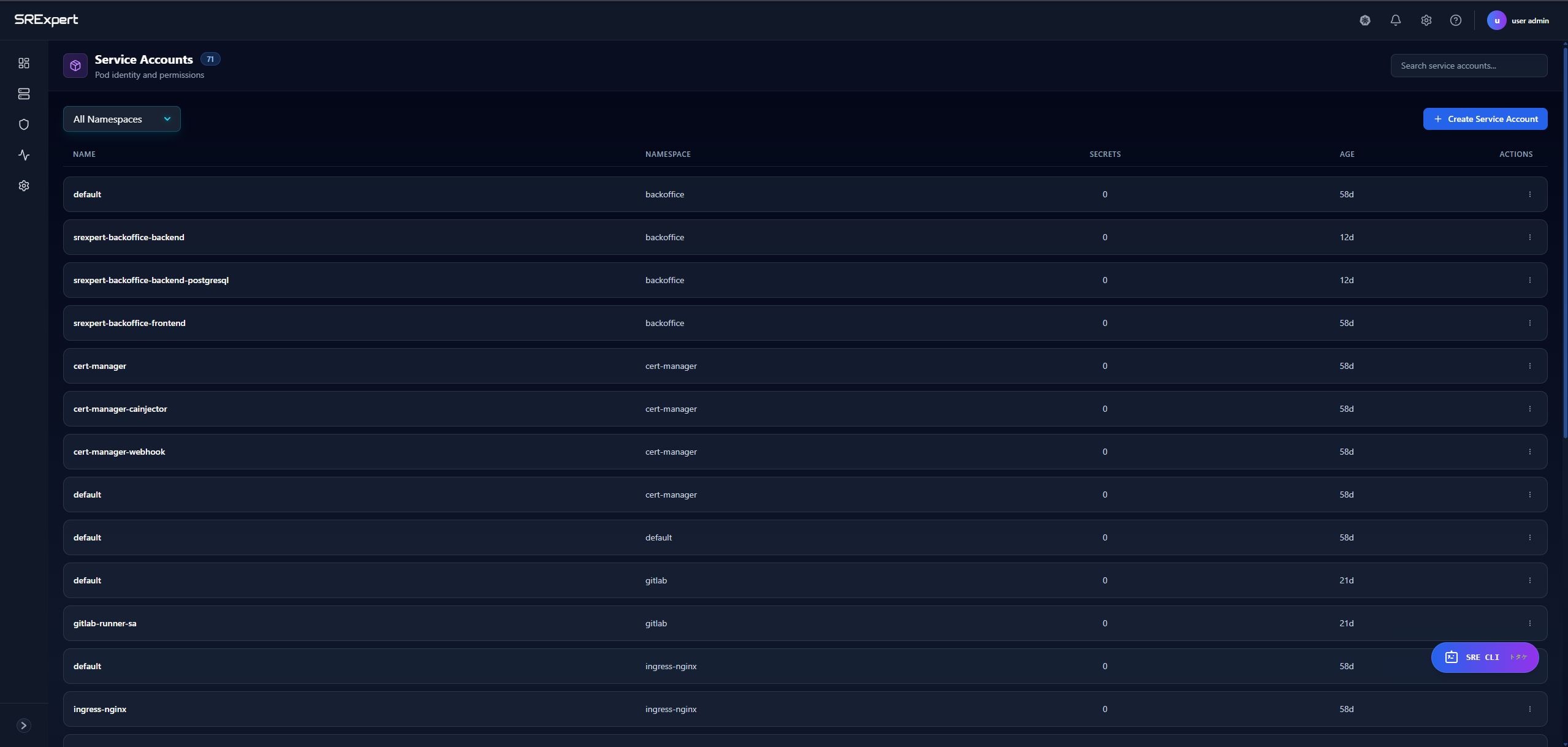
Creating a Service Account
- Click + Create Service Account
- Select the target namespace
- Enter the service account name
- Optionally add annotations and labels
- Click Create
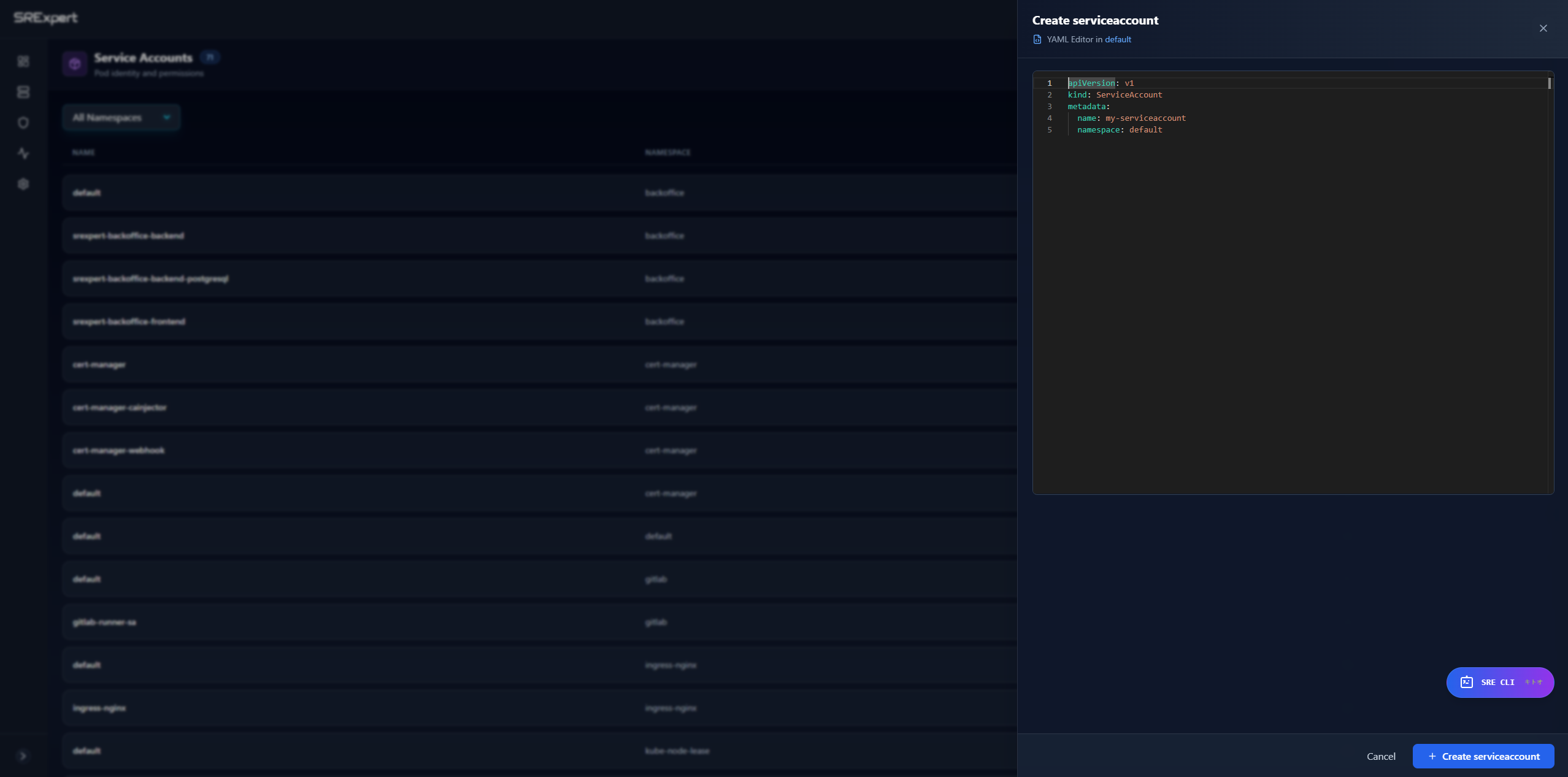
Example Service Account YAML
apiVersion: v1
kind: ServiceAccount
metadata:
  name: my-app-sa
  namespace: production
  annotations:
    eks.amazonaws.com/role-arn: arn:aws:iam::123456789:role/my-role
Service Account Best Practices
- Create dedicated service accounts for each application
- Avoid using the
defaultservice account - Use annotations for cloud provider integrations (AWS IRSA, GCP Workload Identity)
- Disable automounting tokens when not needed
Roles
Roles define permissions within a specific namespace.
Viewing Roles
Open the Roles tab under Security > RBAC & Access.
| Column | Description |
|---|---|
| Name | Role name |
| Namespace | Kubernetes namespace |
| Rules | Number of permission rules |
| Actions | Edit or delete the role |
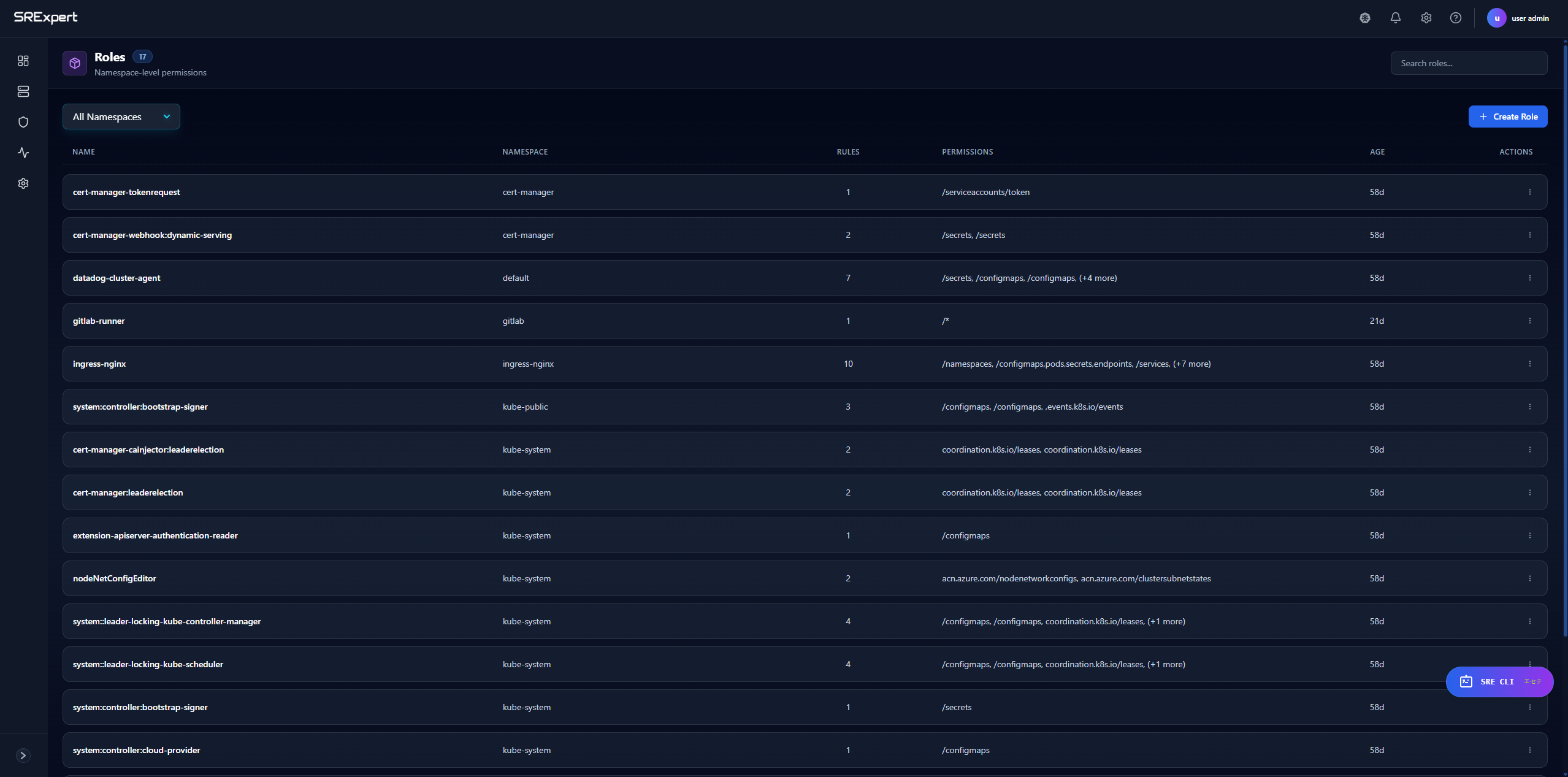
Creating a Role
- Click + Create Role
- Select the target namespace
- Enter the role name
- Add permission rules:
- API Groups (e.g.,
"",apps,batch) - Resources (e.g.,
pods,deployments,secrets) - Verbs (e.g.,
get,list,create,delete)
- API Groups (e.g.,
- Click Create
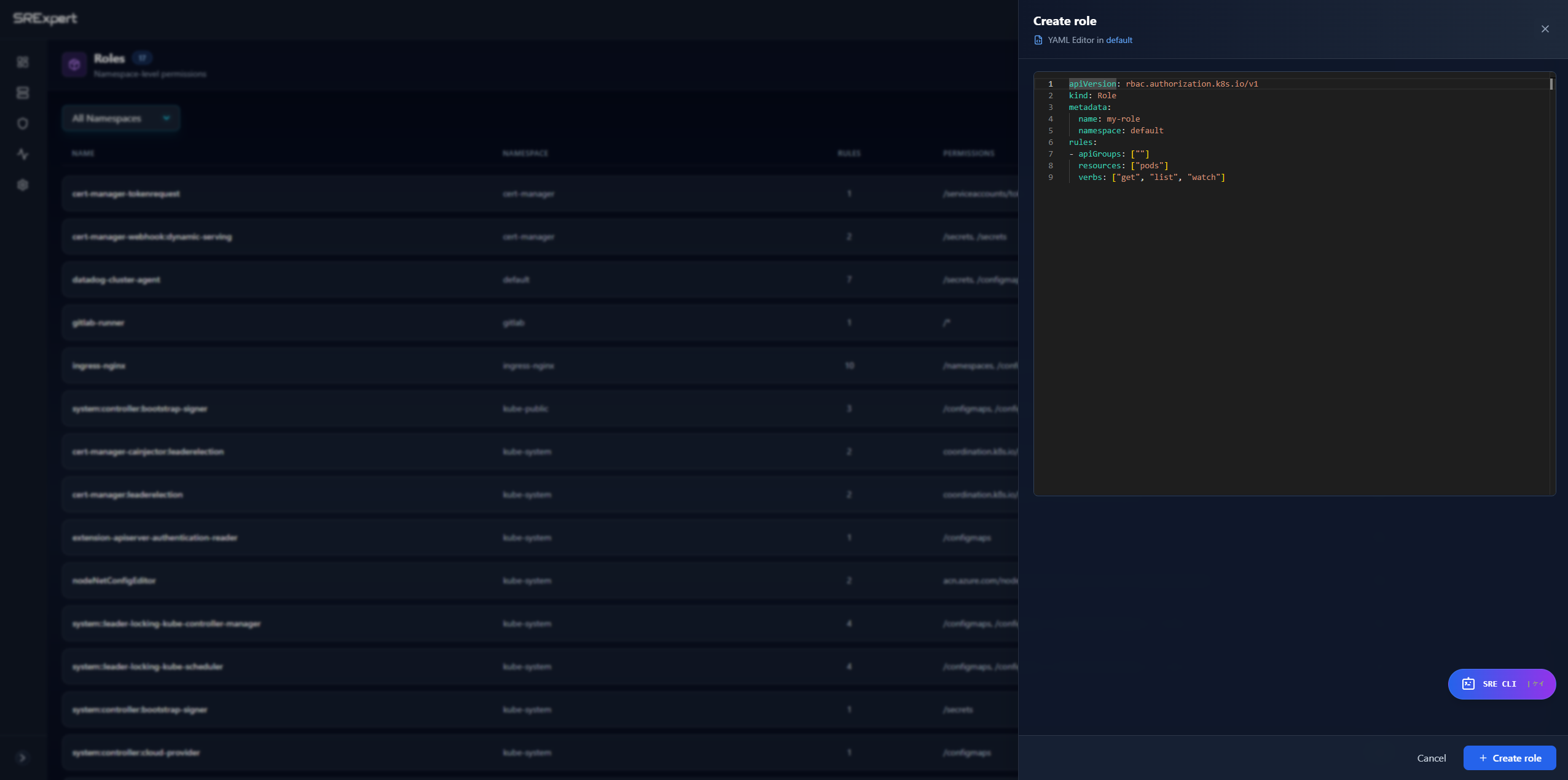
Example Role YAML
apiVersion: rbac.authorization.k8s.io/v1
kind: Role
metadata:
  name: pod-reader
  namespace: production
rules:
- apiGroups: [""]
  resources: ["pods", "pods/log"]
  verbs: ["get", "list", "watch"]
- apiGroups: [""]
  resources: ["pods/exec"]
  verbs: ["create"]
Common Verbs
| Verb | Description |
|---|---|
get | Read a specific resource |
list | List resources |
watch | Watch for changes |
create | Create new resources |
update | Modify existing resources |
patch | Partially modify resources |
delete | Delete resources |
deletecollection | Delete multiple resources |
Role Bindings
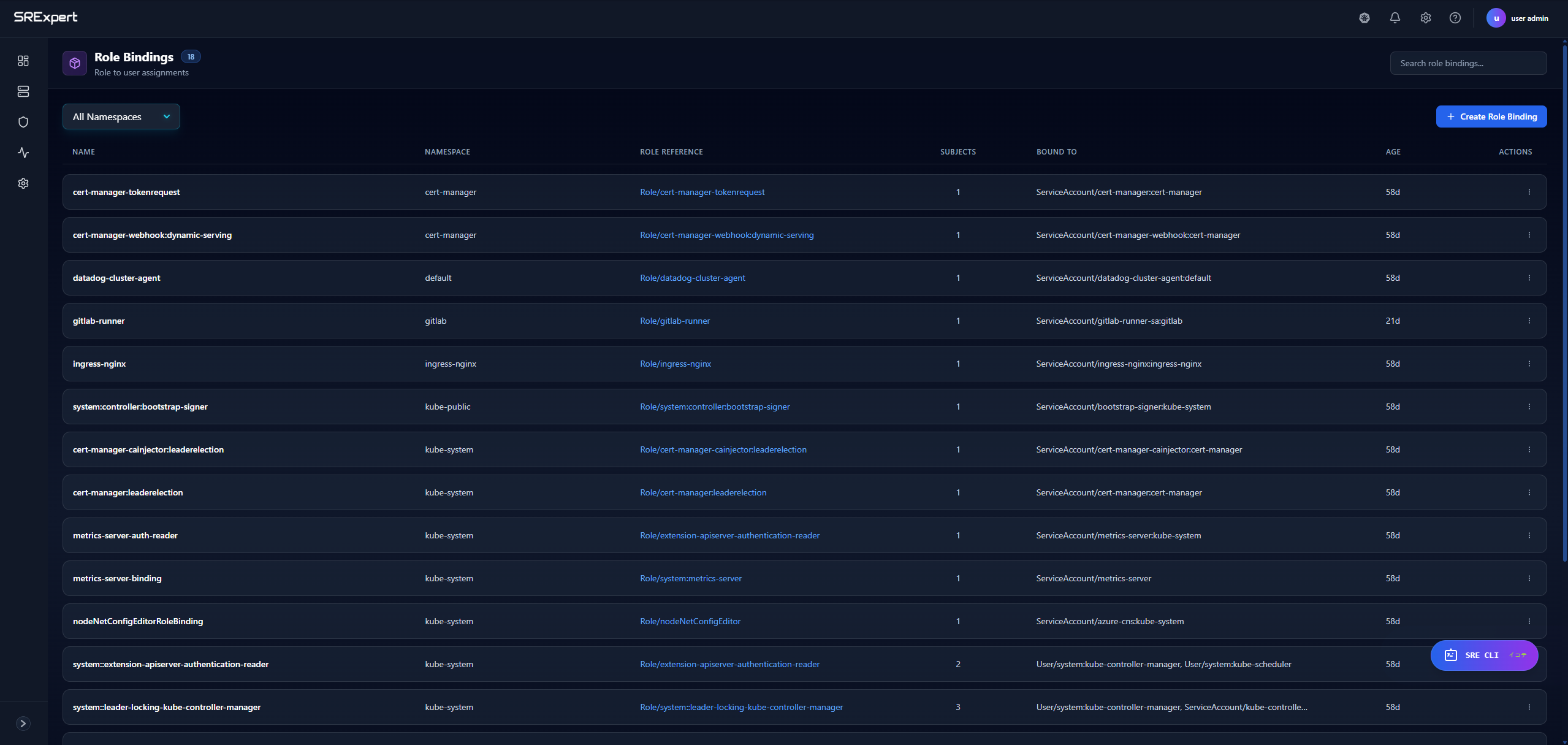
Role Bindings grant the permissions defined in a Role to users or service accounts.
Viewing Role Bindings
Open the RoleBindings tab under Security > RBAC & Access.
| Column | Description |
|---|---|
| Name | Binding name |
| Namespace | Kubernetes namespace |
| Role | Referenced role |
| Subjects | Users/groups/service accounts |
| Age | Time since creation |
Creating a Role Binding
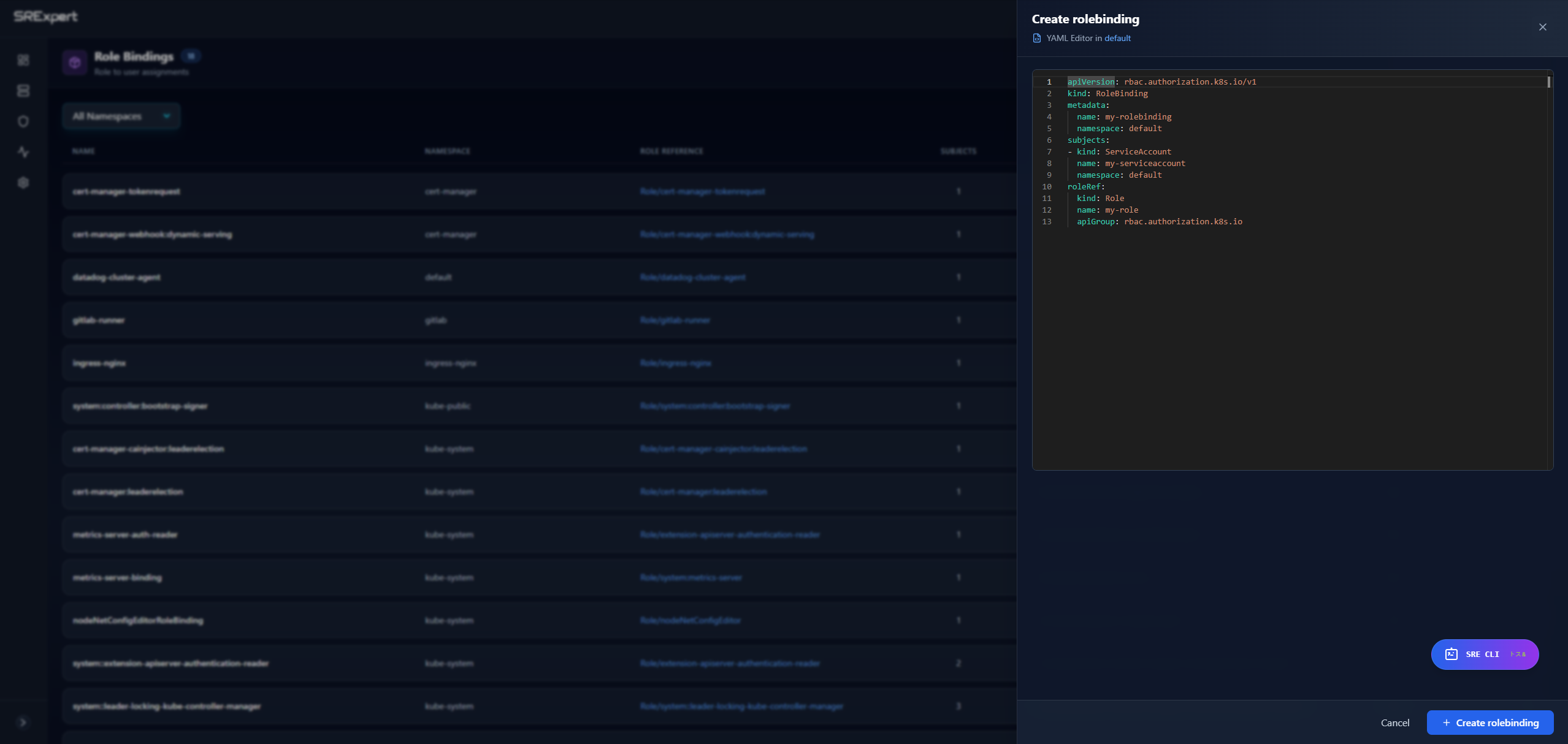
- Click + Create Role Binding
- Select the target namespace
- Enter the binding name
- Select the role to bind
- Add subjects:
- User - Kubernetes user
- Group - User group
- ServiceAccount - Service account in a namespace
- Click Create
Example Role Binding YAML
apiVersion: rbac.authorization.k8s.io/v1
kind: RoleBinding
metadata:
  name: read-pods
  namespace: production
subjects:
- kind: ServiceAccount
  name: my-app-sa
  namespace: production
- kind: User
  name: [email protected]
  apiGroup: rbac.authorization.k8s.io
roleRef:
  kind: Role
  name: pod-reader
  apiGroup: rbac.authorization.k8s.io
Cluster Roles
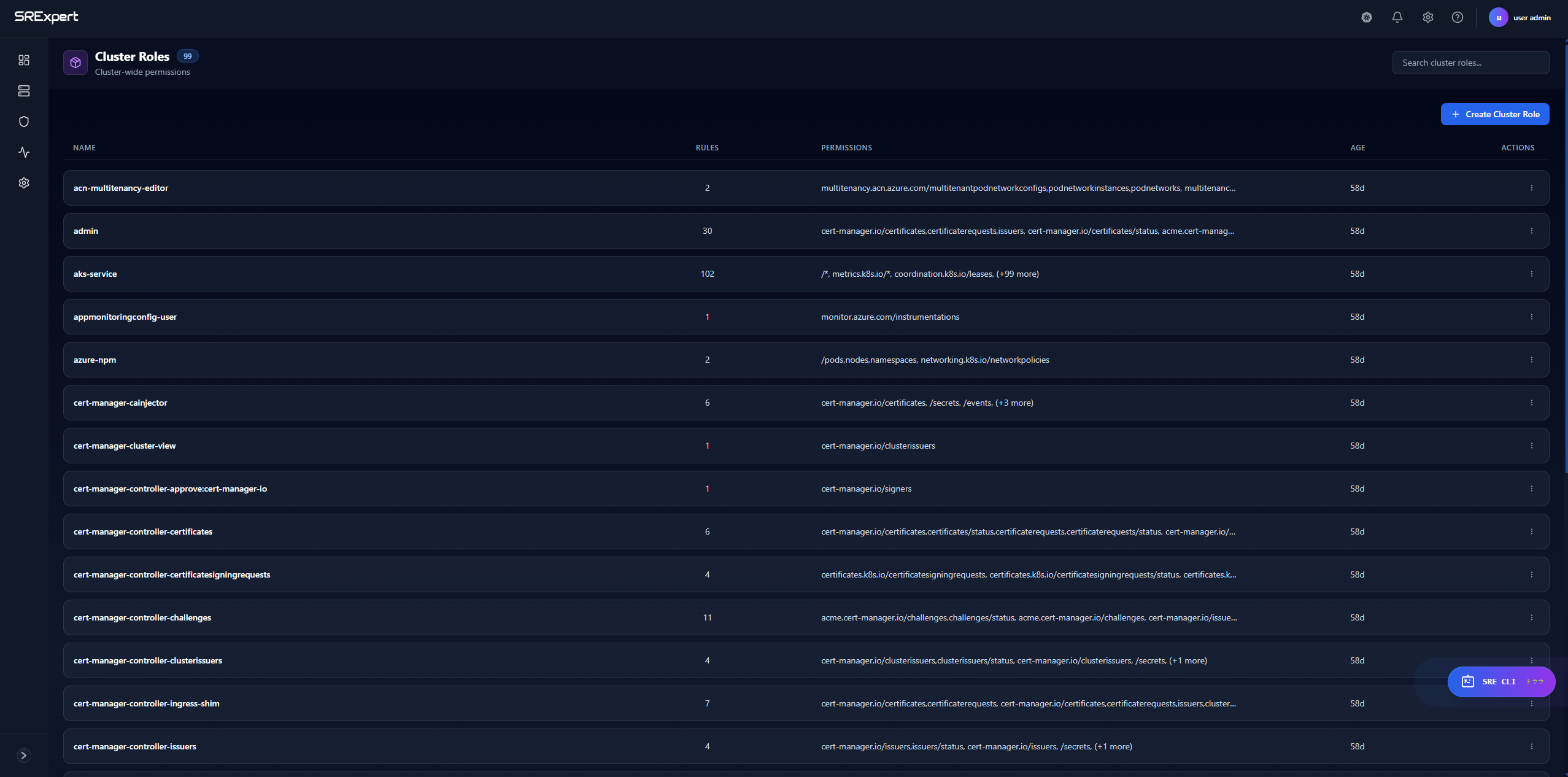
Cluster Roles define permissions across the entire cluster or for non-namespaced resources.
Viewing Cluster Roles
Open the ClusterRoles tab under Security > RBAC & Access.
| Column | Description |
|---|---|
| Name | Cluster role name |
| Rules | Number of permission rules |
| Actions | Edit or delete the cluster role |
Use Cases for Cluster Roles
- Access to non-namespaced resources (nodes, persistent volumes)
- Permissions across all namespaces
- Aggregating multiple roles together
- Defining common permission sets
Example Cluster Role YAML
apiVersion: rbac.authorization.k8s.io/v1
kind: ClusterRole
metadata:
  name: node-reader
rules:
- apiGroups: [""]
  resources: ["nodes"]
  verbs: ["get", "list", "watch"]
- apiGroups: ["metrics.k8s.io"]
  resources: ["nodes"]
  verbs: ["get", "list"]
Cluster Role Bindings
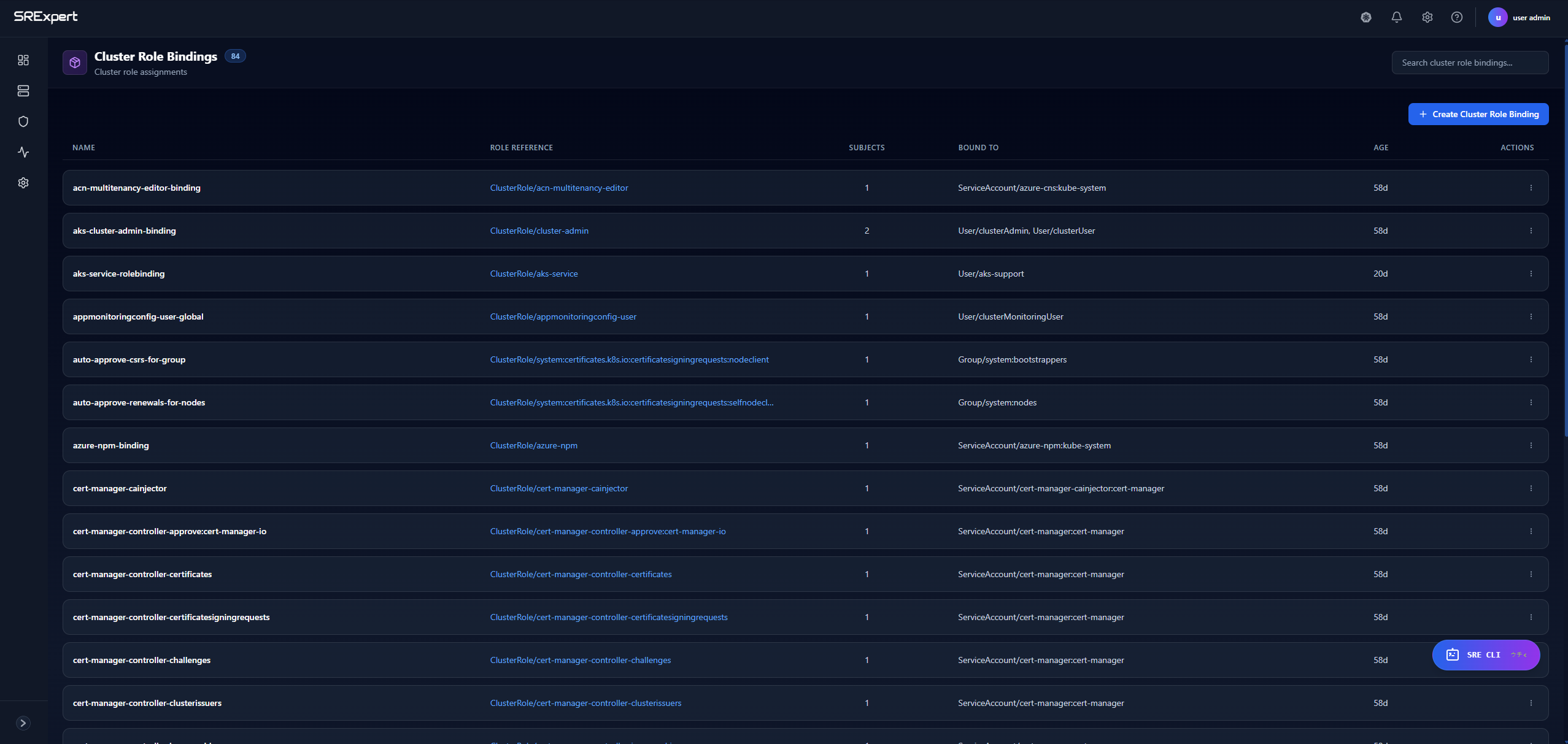
Cluster Role Bindings grant cluster-wide permissions to users or service accounts.
Viewing Cluster Role Bindings
Open the ClusterRoleBindings tab under Security > RBAC & Access.
| Column | Description |
|---|---|
| Name | Binding name |
| Cluster Role | Referenced cluster role |
| Subjects | Users/groups/service accounts |
| Actions | Edit or delete the binding |
Example Cluster Role Binding YAML
apiVersion: rbac.authorization.k8s.io/v1
kind: ClusterRoleBinding
metadata:
  name: read-nodes-global
subjects:
- kind: Group
  name: developers
  apiGroup: rbac.authorization.k8s.io
roleRef:
  kind: ClusterRole
  name: node-reader
  apiGroup: rbac.authorization.k8s.io
RBAC Best Practices
Principle of Least Privilege
- Grant only the minimum permissions needed
- Use namespace-scoped Roles instead of ClusterRoles when possible
- Avoid wildcard (
*) permissions - Regularly audit and review permissions
Organization
- Use consistent naming conventions
- Group related permissions into logical roles
- Document the purpose of custom roles
- Use labels for filtering and management
Security
- Never grant
cluster-adminto applications - Restrict access to secrets and sensitive resources
- Audit role bindings regularly
- Use separate service accounts per application
Common Patterns
| Pattern | Description |
|---|---|
| Read-only | get, list, watch verbs only |
| Developer | Full access within a namespace |
| Operator | Create/update/delete specific resources |
| Admin | Full namespace access except RBAC |
Troubleshooting
Permission Denied Errors
- Check if the service account has a role binding
- Verify the role has the required permissions
- Ensure the correct namespace is specified
- Check for typos in resource names
Debugging RBAC
Use kubectl to test permissions:
# Check if a user can perform an action
kubectl auth can-i get pods --as=system:serviceaccount:default:my-sa

# List all permissions for a service account
kubectl auth can-i --list --as=system:serviceaccount:default:my-sa
Next Steps
- Security View - Security scanning and compliance
- Configuration View - Manage Secrets securely
- Gatekeeper - Enforce RBAC policies