Workloads View
The Workloads View provides complete management of your Kubernetes workloads.
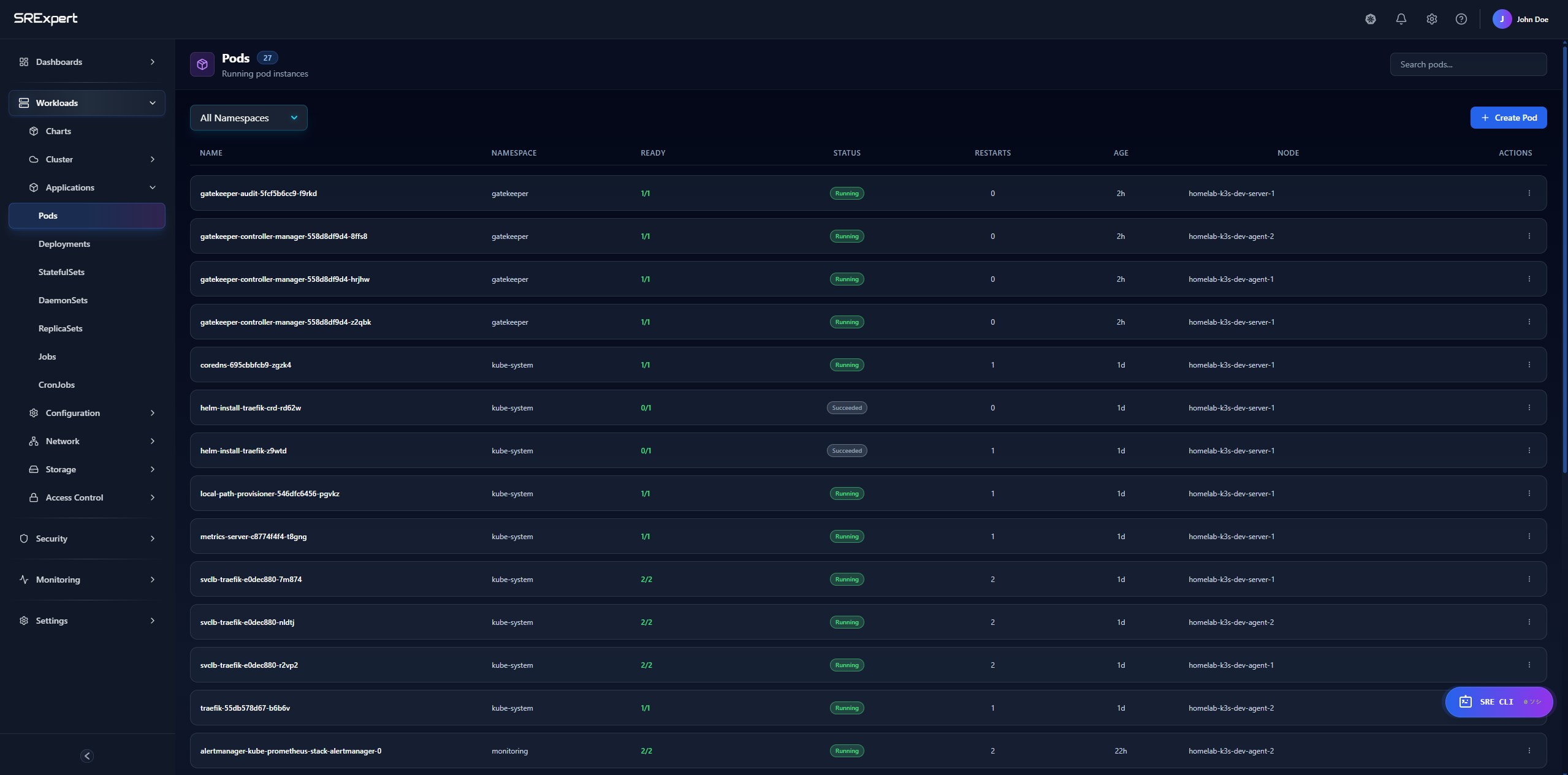
Overview
Manage all workload types:
- Deployments
- StatefulSets
- DaemonSets
- ReplicaSets
- Jobs
- CronJobs
- Pods
Deployments
Viewing Deployments
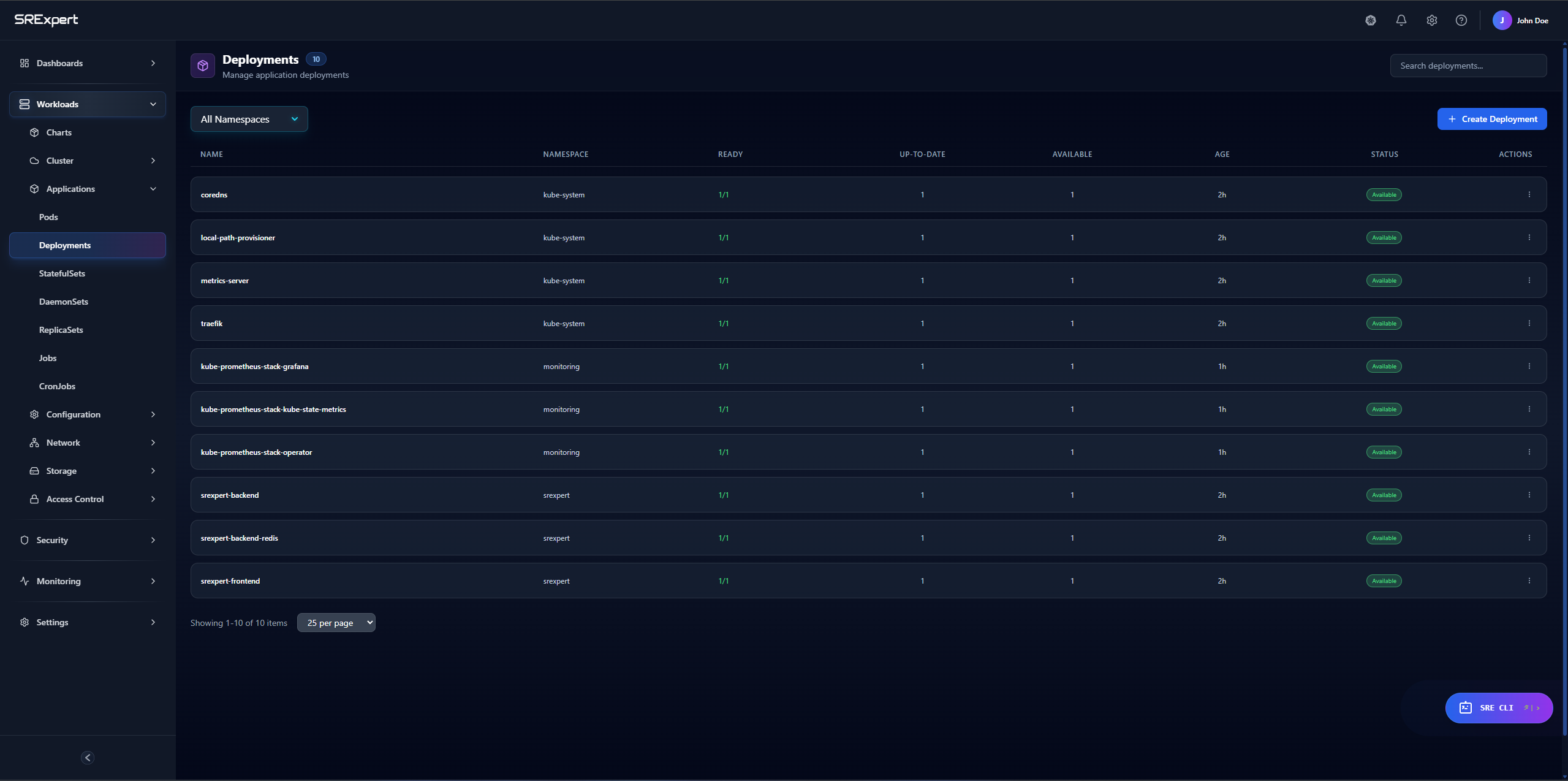
The deployment list shows:
| Column | Description |
|---|---|
| Name | Deployment name |
| Namespace | Kubernetes namespace |
| Replicas | Ready/Desired count |
| Age | Time since creation |
| Status | Current state |
Deployment Actions
Click on a deployment to:
- Scale - Change replica count
- Restart - Rolling restart
- Edit - Modify YAML
- Delete - Remove deployment
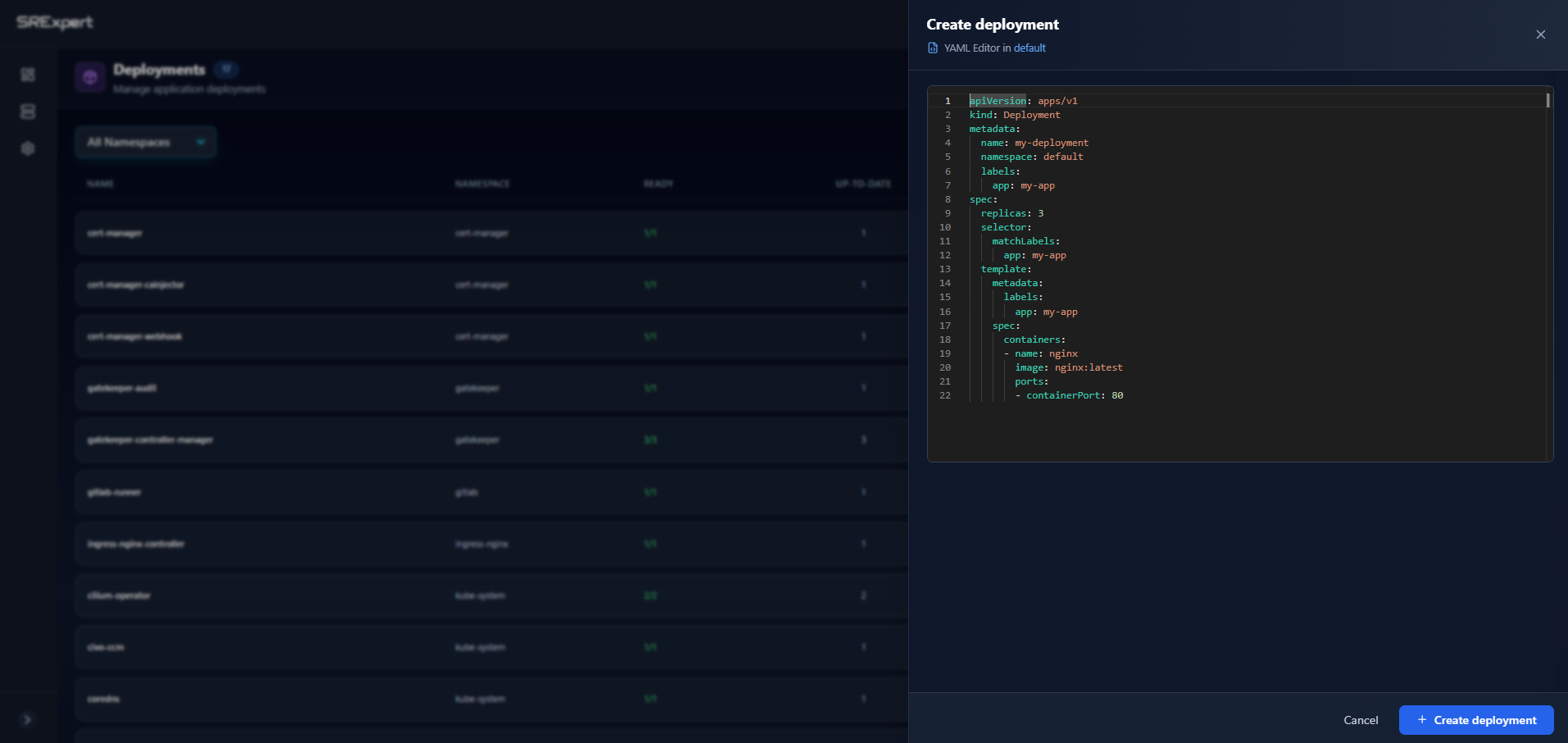
Creating a Deployment
Scaling
- Select the deployment
- Click Scale
- Enter desired replica count
- Click Apply
Or use the quick scale buttons (+/-).
Rolling Updates
View rollout status:
- Current revision
- Update progress
- Rollback history
To rollback:
- Click Rollout History
- Select a revision
- Click Rollback
StatefulSets
Manage stateful applications:
- Ordered pod creation/deletion
- Stable network identities
- Persistent storage
StatefulSet Details
- Pod ordinal index
- Volume claims per pod
- Update strategy
DaemonSets
Ensure pods run on all (or selected) nodes:
- Node selector
- Tolerations
- Update strategy
DaemonSet Status
- Desired number scheduled
- Current number scheduled
- Number ready
Jobs
One-time Jobs
View completed and running jobs:
- Completions
- Parallelism
- Duration
- Success/Failure
CronJobs
Manage scheduled jobs:
| Field | Description |
|---|---|
| Schedule | Cron expression |
| Last Run | Most recent execution |
| Next Run | Scheduled execution |
| Active | Currently running jobs |
Pods
Pod List
Filter and sort pods by:
- Status
- Namespace
- Node
- Labels
Pod Details
Click on a pod to see:
- Container status
- Resource usage
- Events
- Labels and annotations
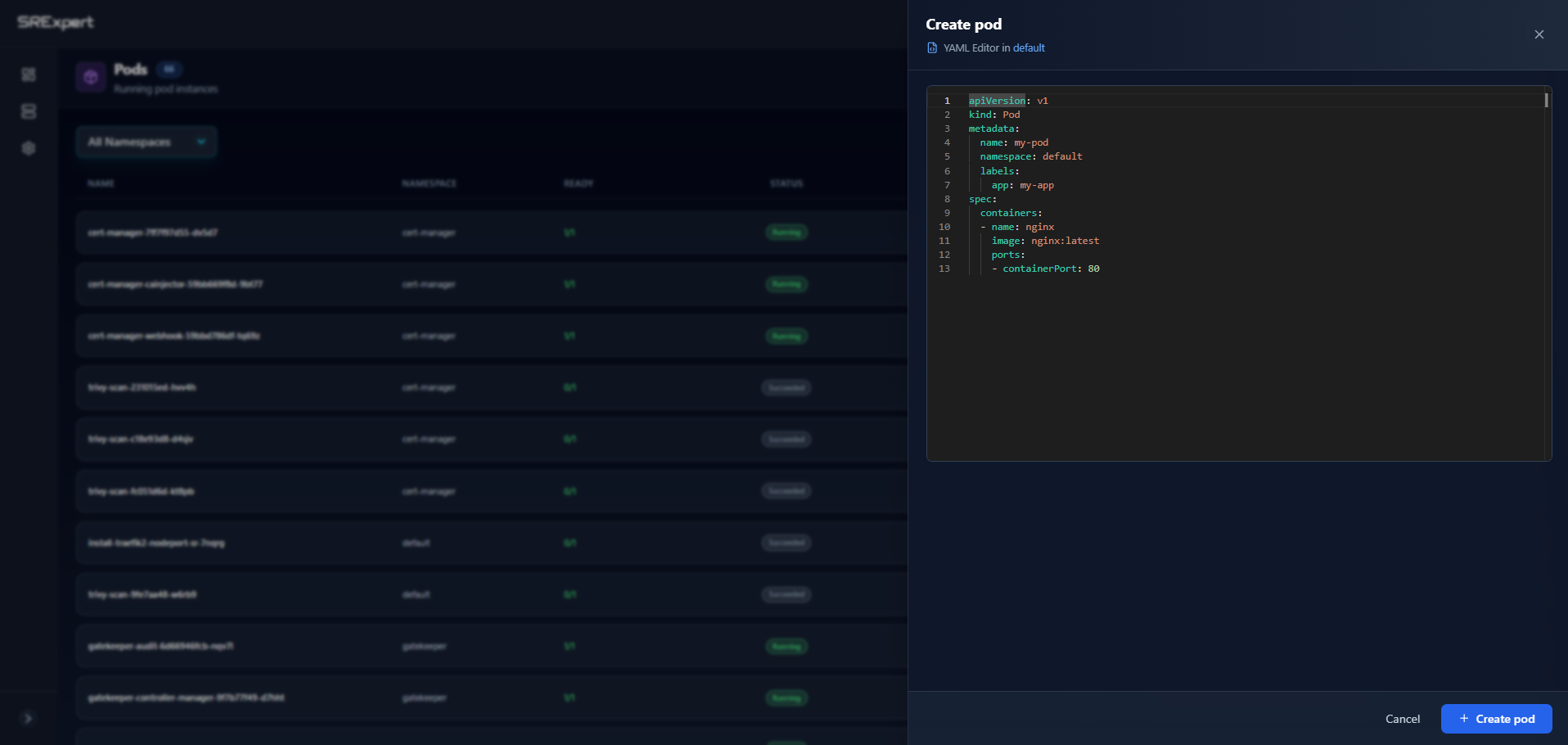
Creating a Pod
Pod Actions
| Action | Description |
|---|---|
| Logs | View container logs |
| Exec | Open terminal in container |
| Delete | Remove pod |
| Describe | Full pod description |
Container Logs
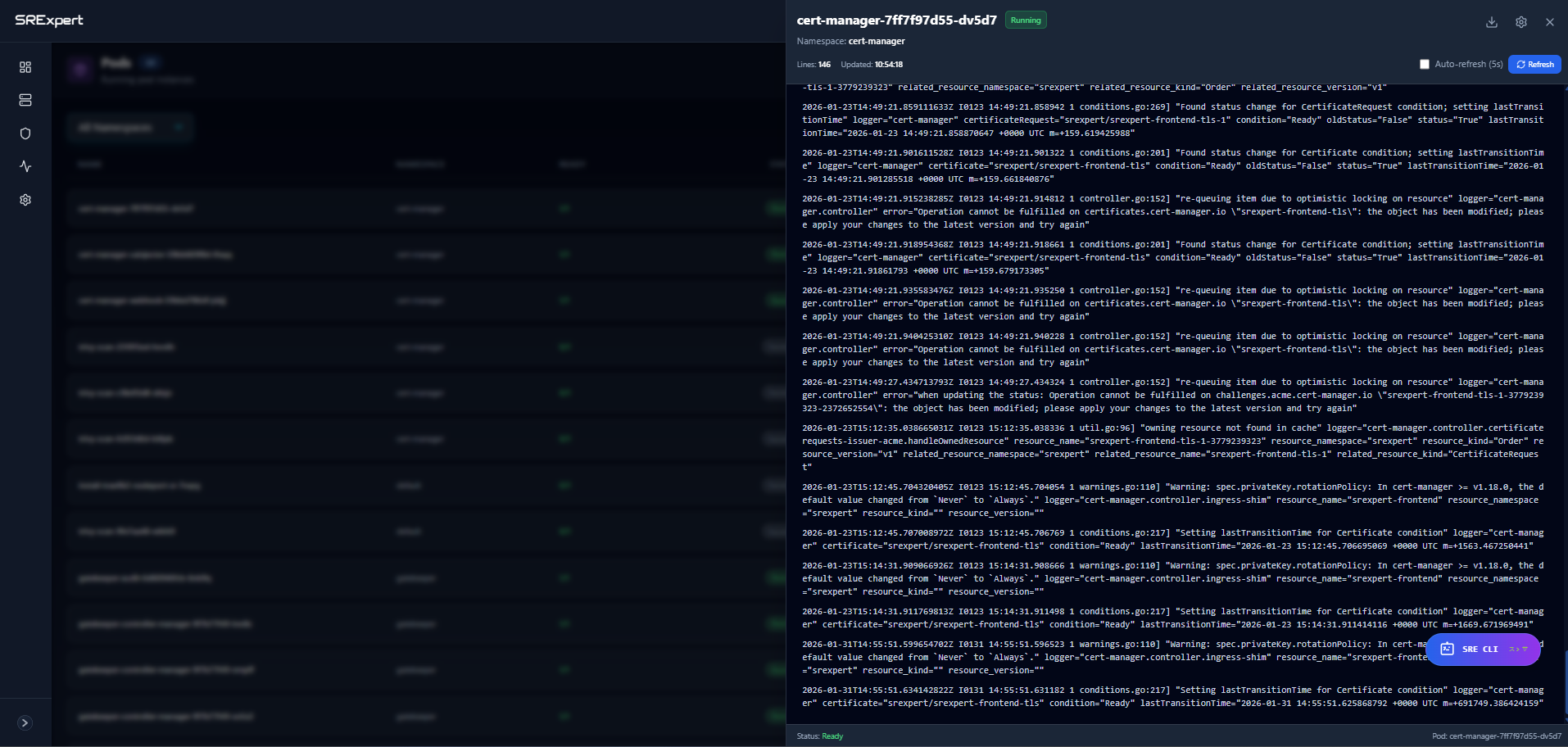
- Real-time streaming
- Download logs
- Search within logs
- Multi-container support
Exec into Container
- Select the pod
- Click Exec
- Choose container (if multiple)
- Terminal opens in browser
Creating Workloads
From YAML
- Click Create
- Paste or write YAML
- Click Apply
From Form
- Click Create
- Select workload type
- Fill in the form
- Click Create
Bulk Operations
Select multiple workloads to:
- Delete
- Scale (Deployments only)
- Add labels
Filtering
Filter workloads by:
- Namespace
- Labels
- Status
- Name (search)
Next Steps
- Monitoring - Monitor workload metrics
- SRE CLI - Debug with AI-powered commands
- Helm View - Manage Helm releases