Storage View
The Storage View provides management of Kubernetes storage resources including Persistent Volumes, Persistent Volume Claims, and Storage Classes.
Overview
Navigate to Workloads > Storage to access:
- Persistent Volumes - Cluster-wide storage resources
- Persistent Volume Claims - Storage requests by pods
- Storage Classes - Storage provisioning templates
Persistent Volumes (PV)
Persistent Volumes are cluster-level storage resources provisioned by administrators or dynamically through Storage Classes.
Viewing Persistent Volumes
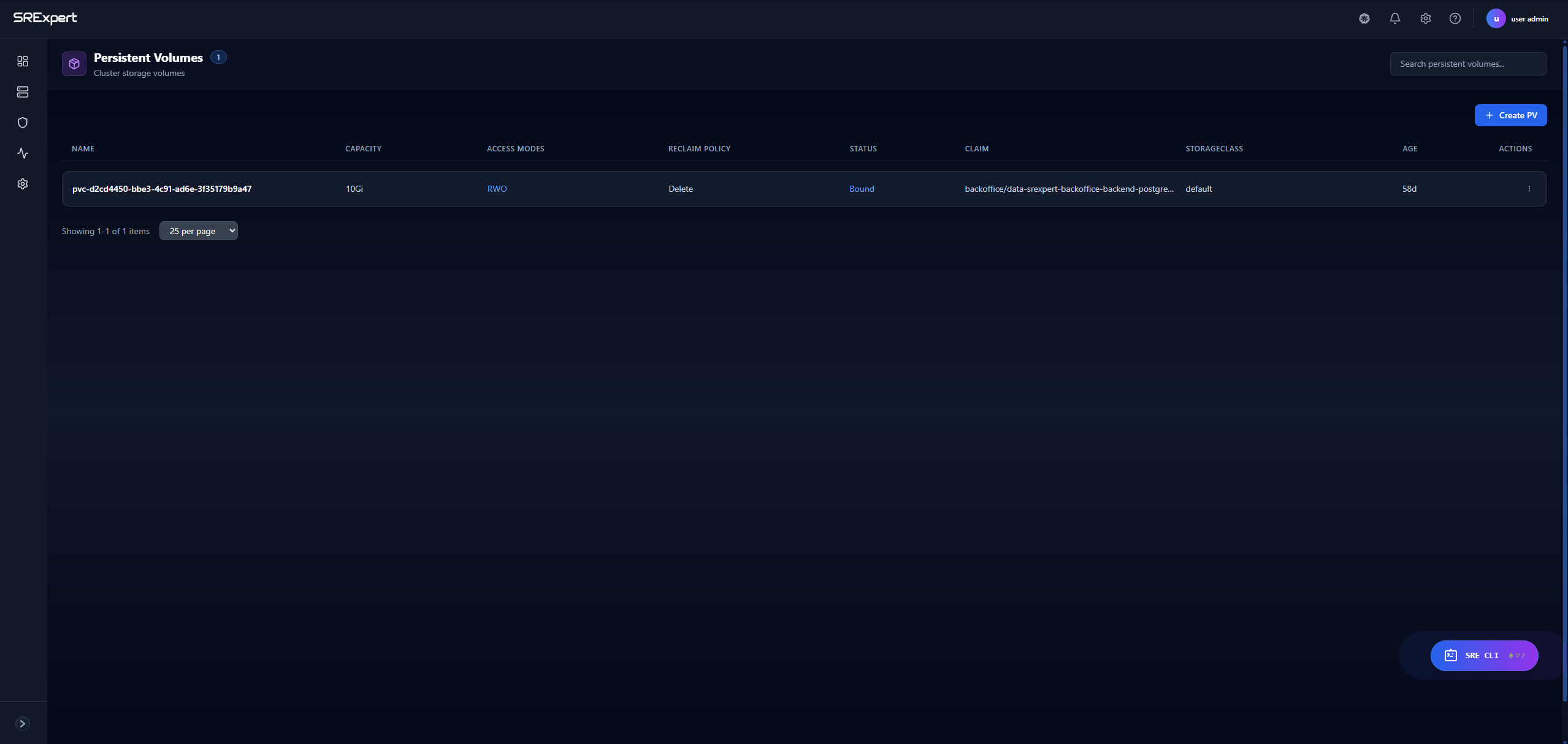
Navigate to Workloads > Storage > Persistent Volumes.
| Column | Description |
|---|---|
| Name | PV name |
| Capacity | Storage size (e.g., 10Gi) |
| Access Modes | RWO, ROX, RWX |
| Reclaim Policy | Retain, Delete, Recycle |
| Status | Available, Bound, Released, Failed |
| Claim | Bound PVC name |
| Storage Class | Associated storage class |
| Age | Time since creation |
Access Modes
| Mode | Description |
|---|---|
| RWO | ReadWriteOnce - Single node read-write |
| ROX | ReadOnlyMany - Multiple nodes read-only |
| RWX | ReadWriteMany - Multiple nodes read-write |
Reclaim Policies
| Policy | Description |
|---|---|
| Retain | Manual reclamation after PVC deletion |
| Delete | Automatically delete PV when PVC is deleted |
| Recycle | Basic scrub (deprecated) |
PV Status
| Status | Description |
|---|---|
| Available | Ready to be bound to a PVC |
| Bound | Currently bound to a PVC |
| Released | PVC deleted, awaiting reclamation |
| Failed | Automatic reclamation failed |
Persistent Volume Claims (PVC)
PVCs are requests for storage by pods. They consume PV resources similar to how pods consume node resources.
Viewing PVCs
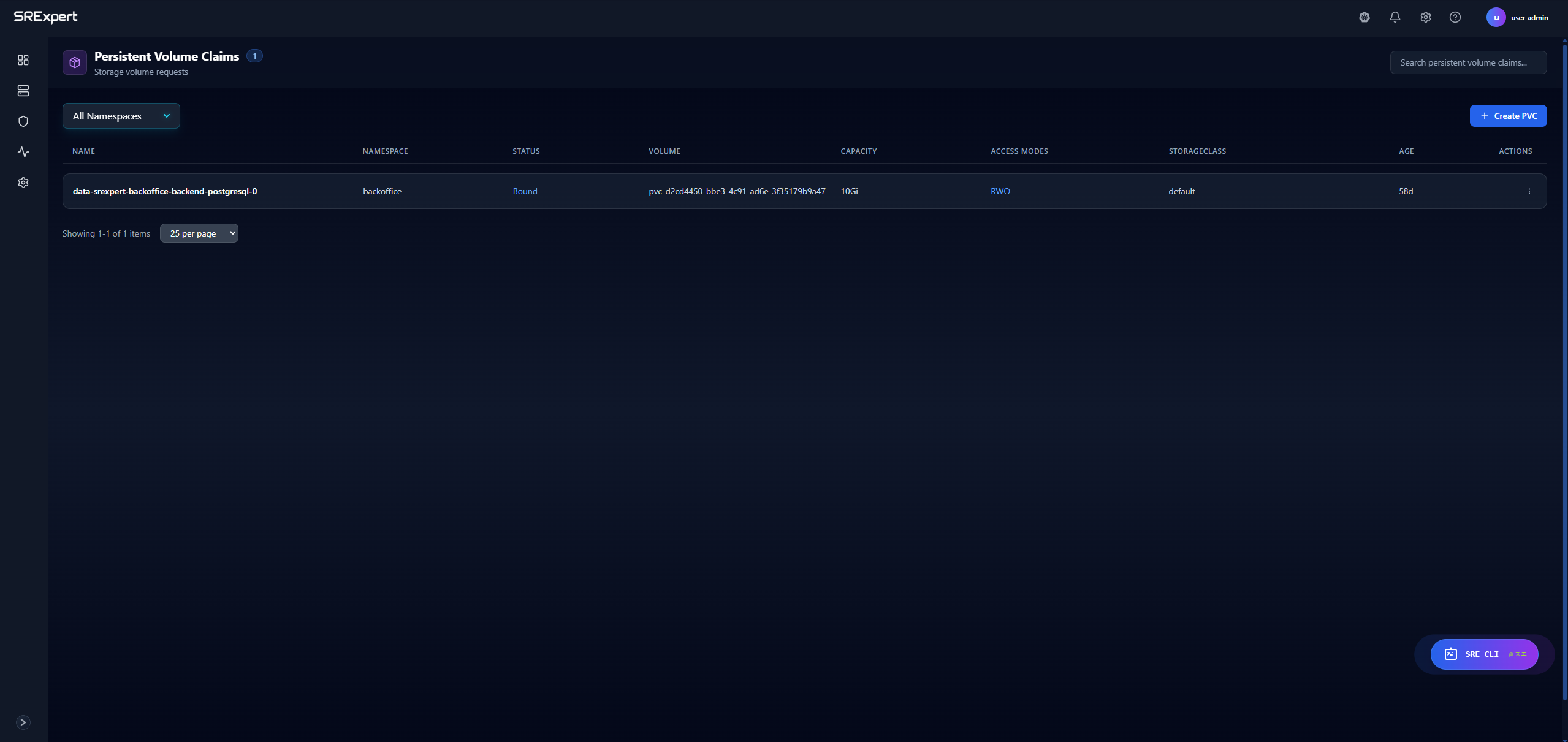
Navigate to Workloads > Storage > Persistent Volume Claims.
| Column | Description |
|---|---|
| Name | PVC name |
| Namespace | Kubernetes namespace |
| Status | Pending, Bound, Lost |
| Volume | Bound PV name |
| Capacity | Allocated storage size |
| Access Modes | Requested access modes |
| Storage Class | Requested storage class |
| Age | Time since creation |
Creating a PVC
- Click + Create PVC
- Select the target namespace
- Enter the PVC name
- Specify storage size (e.g.,
5Gi) - Select access mode
- Choose storage class (or use default)
- Click Create
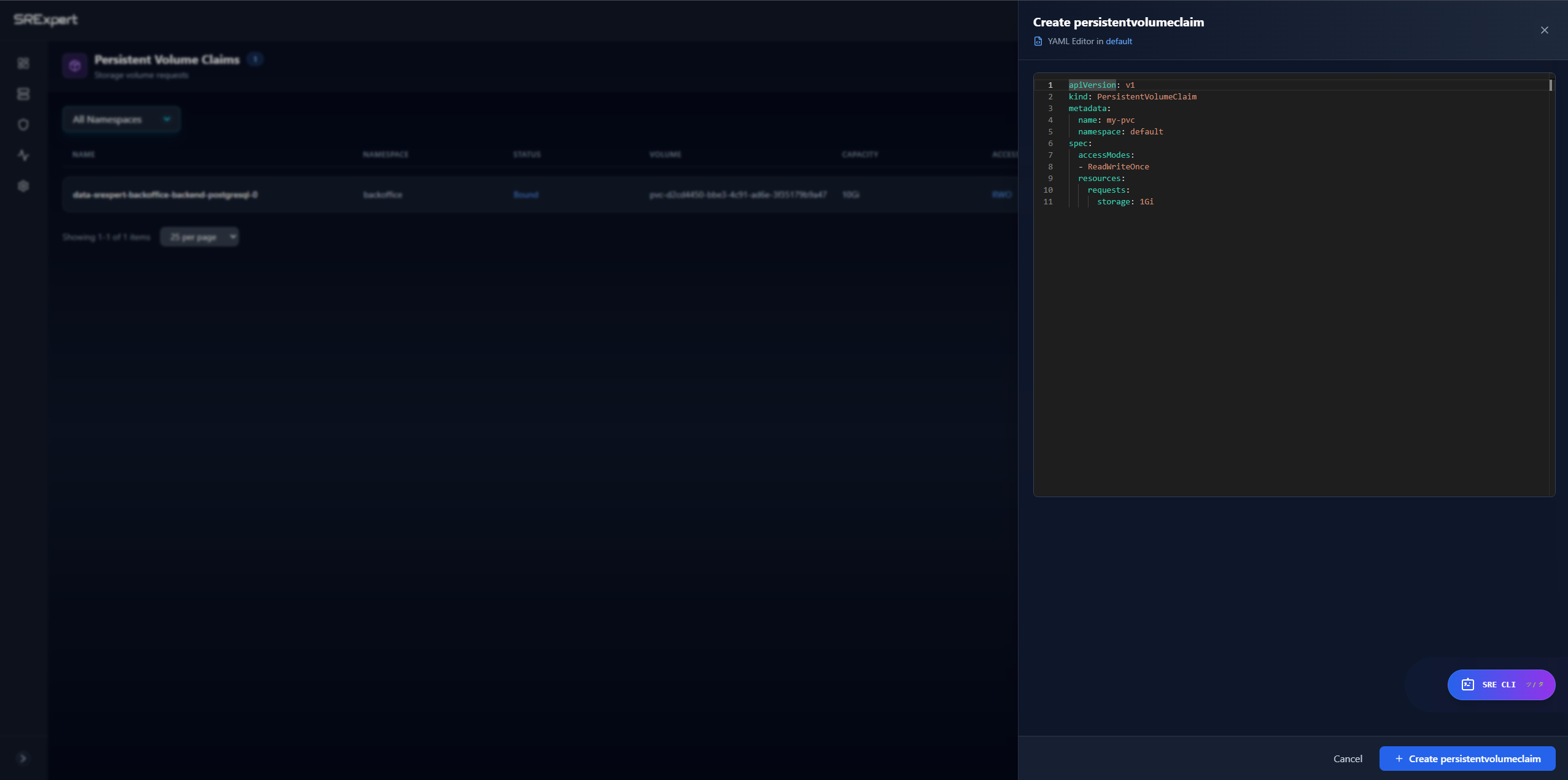
Example PVC YAML
apiVersion: v1
kind: PersistentVolumeClaim
metadata:
  name: my-app-data
  namespace: production
spec:
  accessModes:
    - ReadWriteOnce
  storageClassName: standard
  resources:
    requests:
      storage: 10Gi
PVC Actions
| Action | Description |
|---|---|
| View | See PVC details and bound volume |
| Edit | Modify PVC (limited after binding) |
| Expand | Increase storage size (if supported) |
| Delete | Remove the PVC |
Storage Classes
Storage Classes define different types of storage available in the cluster, enabling dynamic provisioning of Persistent Volumes.
Viewing Storage Classes
Navigate to Workloads > Storage > Storage Classes.
| Column | Description |
|---|---|
| Name | Storage class name |
| Provisioner | Storage backend (e.g., kubernetes.io/aws-ebs) |
| Reclaim Policy | Default reclaim policy |
| Volume Binding | Immediate or WaitForFirstConsumer |
| Allow Expansion | Whether volumes can be resized |
| Default | Whether this is the default storage class |
Common Provisioners
| Provisioner | Cloud Provider |
|---|---|
kubernetes.io/aws-ebs | AWS EBS |
kubernetes.io/gce-pd | Google Cloud Persistent Disk |
kubernetes.io/azure-disk | Azure Disk |
kubernetes.io/azure-file | Azure File |
rancher.io/local-path | Local path (development) |
Volume Binding Modes
| Mode | Description |
|---|---|
| Immediate | Provision volume immediately when PVC is created |
| WaitForFirstConsumer | Delay provisioning until pod uses the PVC |
Example Storage Class
apiVersion: storage.k8s.io/v1
kind: StorageClass
metadata:
  name: fast-ssd
provisioner: kubernetes.io/aws-ebs
parameters:
  type: gp3
  iopsPerGB: "50"
reclaimPolicy: Delete
allowVolumeExpansion: true
volumeBindingMode: WaitForFirstConsumer
Common Operations
Expanding a Volume
If the storage class allows expansion:
- Select the PVC
- Click Expand
- Enter the new size
- Click Apply
Note: Volume expansion may require pod restart depending on the storage backend.
Troubleshooting Storage
| Issue | Possible Cause | Solution |
|---|---|---|
| PVC stuck in Pending | No matching PV available | Check storage class, create PV, or verify provisioner |
| PV stuck in Released | Reclaim policy is Retain | Manually delete or recycle the PV |
| Volume not mounting | Access mode mismatch | Verify pod and PVC access modes match |
| Expansion failed | Storage class doesn’t allow expansion | Use a different storage class |
Best Practices
Persistent Volumes
- Use Storage Classes for dynamic provisioning when possible
- Set appropriate reclaim policies based on data importance
- Use
WaitForFirstConsumerfor topology-aware provisioning - Monitor PV utilization to avoid storage exhaustion
Persistent Volume Claims
- Always specify a storage class for predictable behavior
- Request only the storage you need
- Use labels for organization and filtering
- Consider backup strategies for stateful data
Storage Classes
- Create different classes for different performance tiers
- Enable volume expansion for flexibility
- Use
WaitForFirstConsumerin multi-zone clusters - Document storage class capabilities for developers
Next Steps
- Workloads View - Manage StatefulSets using persistent storage
- Configuration View - Manage ConfigMaps and Secrets
- Monitoring - Monitor storage metrics