Billing & Usage
View your subscription plan, billing history, and current resource usage.
Overview
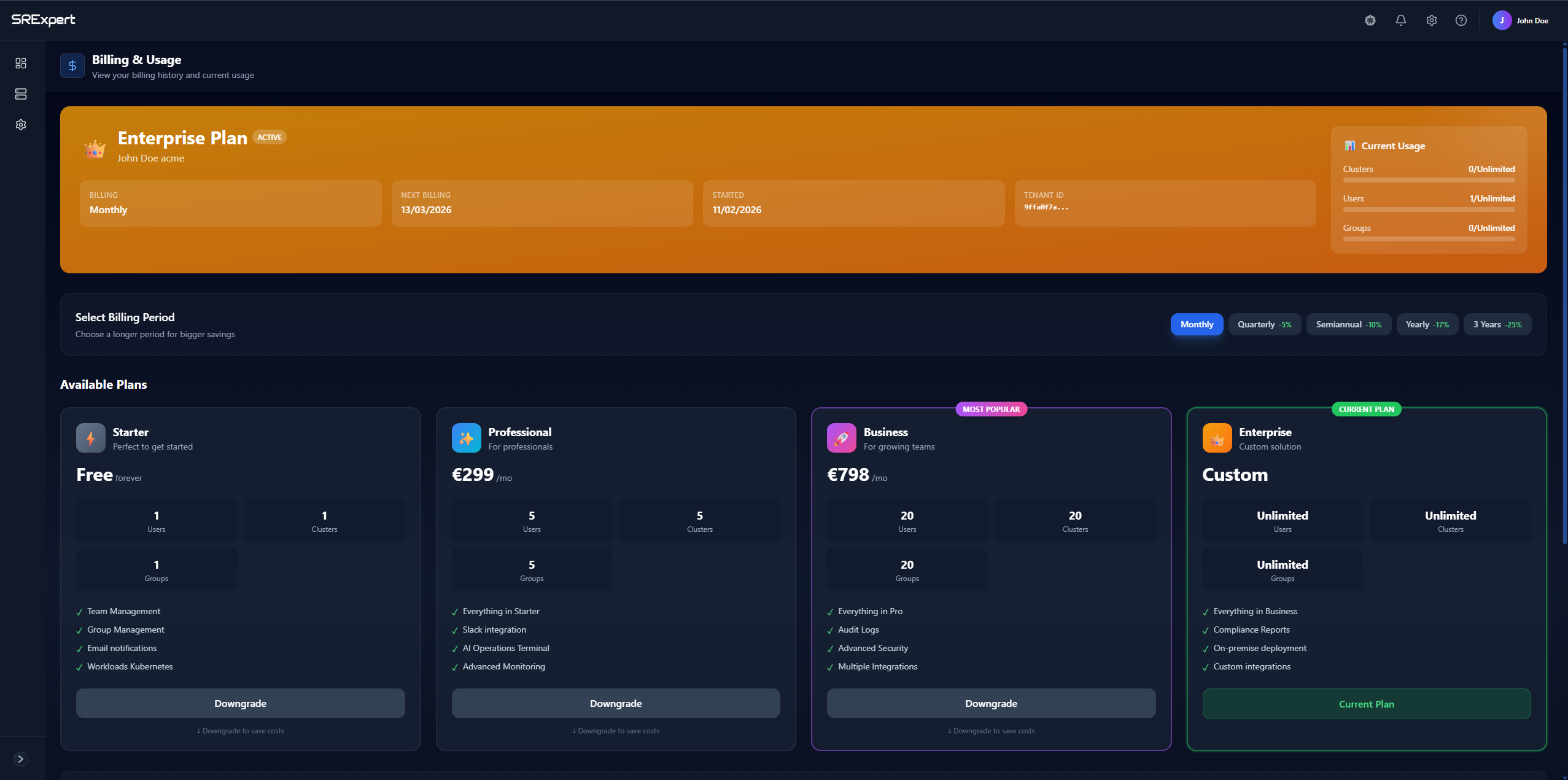
The Billing & Usage page provides a comprehensive view of your subscription and resource consumption.
Current Plan
At the top of the page, you’ll see your current subscription details:
| Field | Description |
|---|---|
| Plan Name | Your current subscription tier (e.g., Enterprise Plan) |
| Status | Active or inactive subscription status |
| Billing Cycle | Monthly, Quarterly, or Annual billing |
| Next Billing | Date of your next payment |
| Started | When your subscription began |
| Tenant ID | Your unique organization identifier |
Current Usage
The usage panel shows your resource consumption:
| Metric | Description |
|---|---|
| Clusters | Number of connected clusters vs. limit |
| Users | Number of team members vs. limit |
| Groups | Number of user groups vs. limit |
Billing Periods
Choose your billing period to optimize costs:
| Period | Discount |
|---|---|
| Monthly | Standard price |
| Quarterly | 5% discount |
| Semi-annual | 10% discount |
| Yearly | 17% discount |
| 3 Years | 25% discount |
Available Plans
Starter (Free)
Perfect for getting started:
- 1 User
- 1 Cluster
- 1 Group
- Team Management
- Group Management
- Email Notifications
- Workloads Kubernetes
Professional (€89/mo + IVA 23%)
For professionals:
- 5 Users
- 5 Clusters
- 5 Groups
- Everything in Starter
- Slack Integration
- AI Operations Terminal
- Advanced Monitoring
Business (€399/mo + IVA 23%)
For growing teams:
- 20 Users
- 20 Clusters
- 20 Groups
- Everything in Pro
- Audit Logs
- Advanced Security
- Multiple Integrations
Enterprise (Custom)
Custom solution for large organizations:
- Unlimited Users
- Unlimited Clusters
- Unlimited Groups
- Everything in Business
- Compliance Reports
- On-premise Deployment
- Custom Integrations
Managing Your Subscription
Upgrade Plan
Click Upgrade on any plan card to upgrade your subscription.
Downgrade Plan
Click Downgrade to move to a lower tier. Note that you may lose access to features not included in the new plan.
Payment Options
Access payment settings via Settings > Billing & Usage > Payment Options to:
- Update payment method
- View payment history
- Download invoices
Invoices
View and download past invoices from the Invoices section.