Security View
The Security View provides comprehensive security analysis and compliance monitoring for your Kubernetes clusters.
Overview
Access Security features from the Security menu in the sidebar. The security dashboard shows:
- Overall compliance score
- Security posture rating
- Issue counts by severity
- Trends over time
- Top recommendations
Security Sections
| Section | Description |
|---|---|
| Dashboard | Overview of all security metrics |
| Gatekeeper | OPA Gatekeeper policy management |
| Admission Control | Admission controller policies |
| Policy Templates | Pre-configured policy templates |
| Image Security | Container image vulnerability scanning |
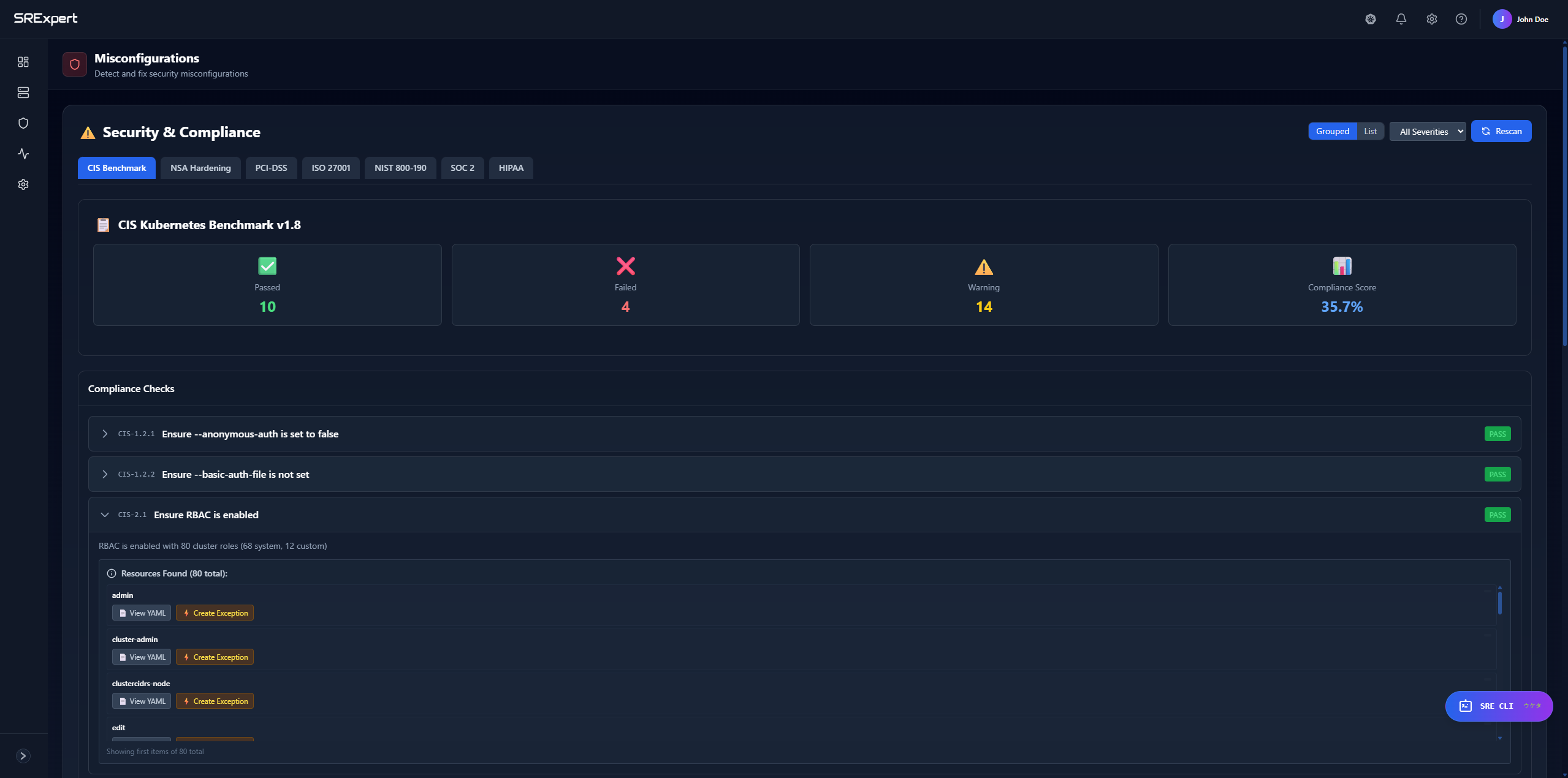
| Misconfigurations | Kubernetes misconfiguration detection |
| Secrets Scan | Exposed secrets detection |
| RBAC | Role-based access control analysis |
| Service Accounts | Service account security |
| Network Policies | Network policy analysis |
| Audit Logs | Security event logs |
| Recommendations | AI-powered security recommendations |
Compliance Scanning
Supported Frameworks
SRExpert checks your clusters against industry standards:
| Framework | Checks | Description |
|---|---|---|
| CIS Kubernetes Benchmark | 11 | Industry standard security configuration |
| NSA/CISA Hardening Guide | 5 | US Government hardening recommendations |
| PCI-DSS Container Security | 5 | Payment card industry requirements |
| ISO 27001 | 10+ | Information security management |
| NIST | Multiple | US Government security framework |
| SOC 2 | Multiple | Service organization controls |
| HIPAA | Multiple | Healthcare data protection |
Running a Compliance Check
- Go to Security > Dashboard
- Click Run Compliance Check
- Select a framework (CIS, NSA, PCI-DSS)
- Select target cluster
- Click Run
The check executes against your Kubernetes API and returns real-time results.
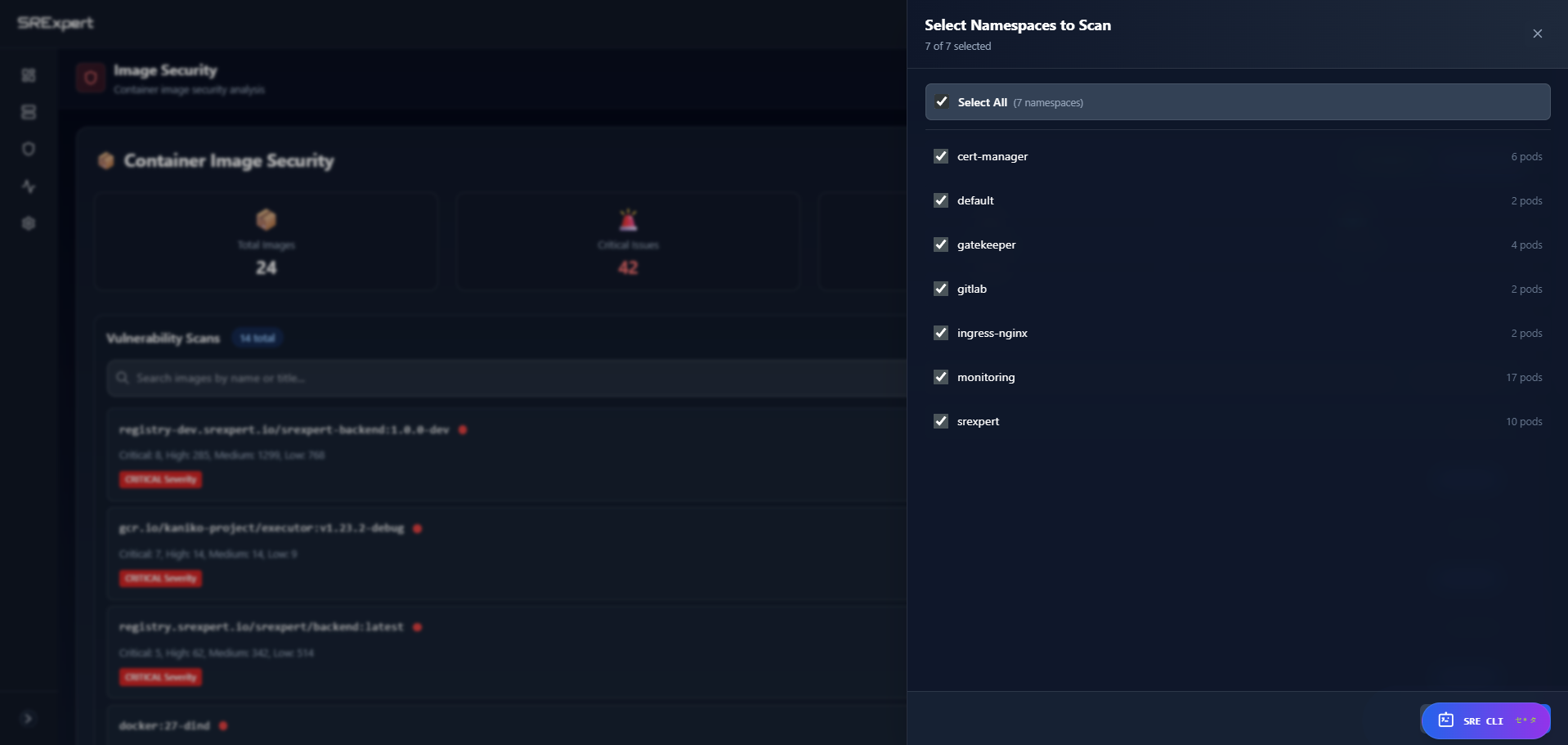
Compliance Results
Each check shows:
| Field | Description |
|---|---|
| Check ID | Unique identifier (e.g., CIS-1.1.1) |
| Title | What the check verifies |
| Status | pass, fail, warning, error |
| Severity | critical, high, medium, low |
| Message | Details about the finding |
| Remediation | How to fix the issue |
Compliance Score
The compliance score (0-100) is calculated based on:
- Number of passing checks
- Severity of failing checks
- Framework coverage
View your score:
- Go to Security > Dashboard
- See the compliance score card
- Click for breakdown by framework
Compliance Reports
Export compliance reports:
- Go to Security > Dashboard
- Click Export Report
- Select format (JSON, HTML, XML)
- Download the report
Reports include:
- Executive summary
- Pass/fail details
- Remediation guidance
- Trend data
Vulnerability Scanning
Image Scanning
SRExpert integrates with Trivy for vulnerability scanning:
- Automatic scanning of deployed images
- CVE database from NIST NVD
- Severity classification
- Fix version recommendations
Scanning Options
- Trivy Operator - Continuous scanning in-cluster
- On-demand scanning - Scan specific images
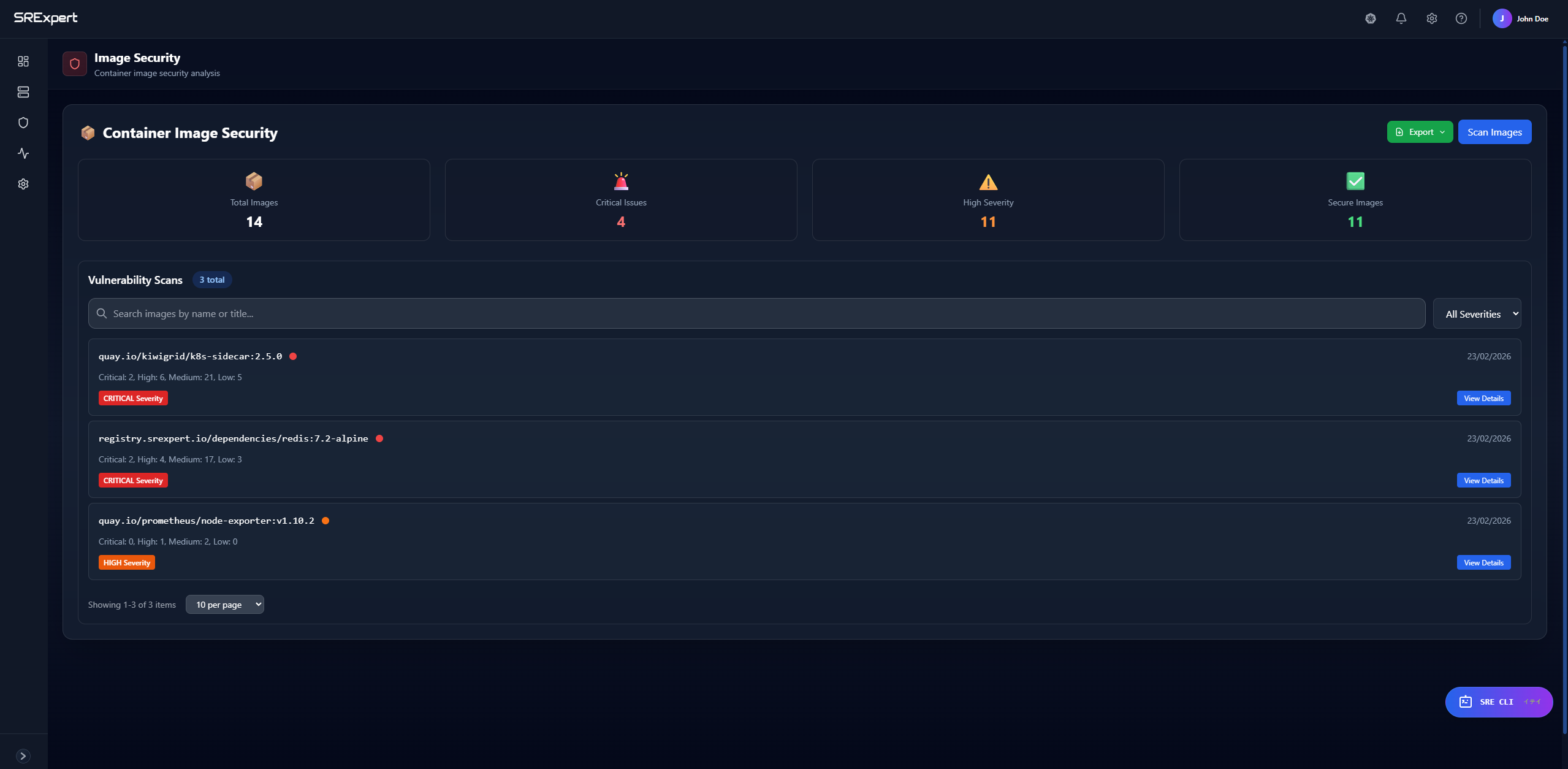
Viewing Vulnerabilities
- Go to Security > Image Security
- See images with vulnerability counts
- Click an image for details
Each vulnerability shows:
- CVE ID and link
- Severity (Critical, High, Medium, Low)
- Affected package and version
- Fixed version (if available)
- Description
Filtering Vulnerabilities
Filter by:
- Severity level
- Namespace
- Image name
- Fix availability
RBAC Analysis
Overview
The RBAC analyzer examines your cluster’s role-based access control:
- ClusterRoles and Roles
- ClusterRoleBindings and RoleBindings
- ServiceAccounts
- Permission risks
RBAC Security Score
The RBAC security score (0-100) considers:
- Wildcard permissions (
*resources or verbs) - Overprivileged service accounts
- Risky role bindings
- Cluster-admin usage
Risk Types Detected
| Risk Type | Severity | Example |
|---|---|---|
| Wildcard permissions | Critical | resources: ["*"] |
| Overprivileged accounts | High | Service account with cluster-admin |
| Risky bindings | Medium | Binding to default namespace |
| Unused service accounts | Low | Old accounts still existing |
Viewing RBAC
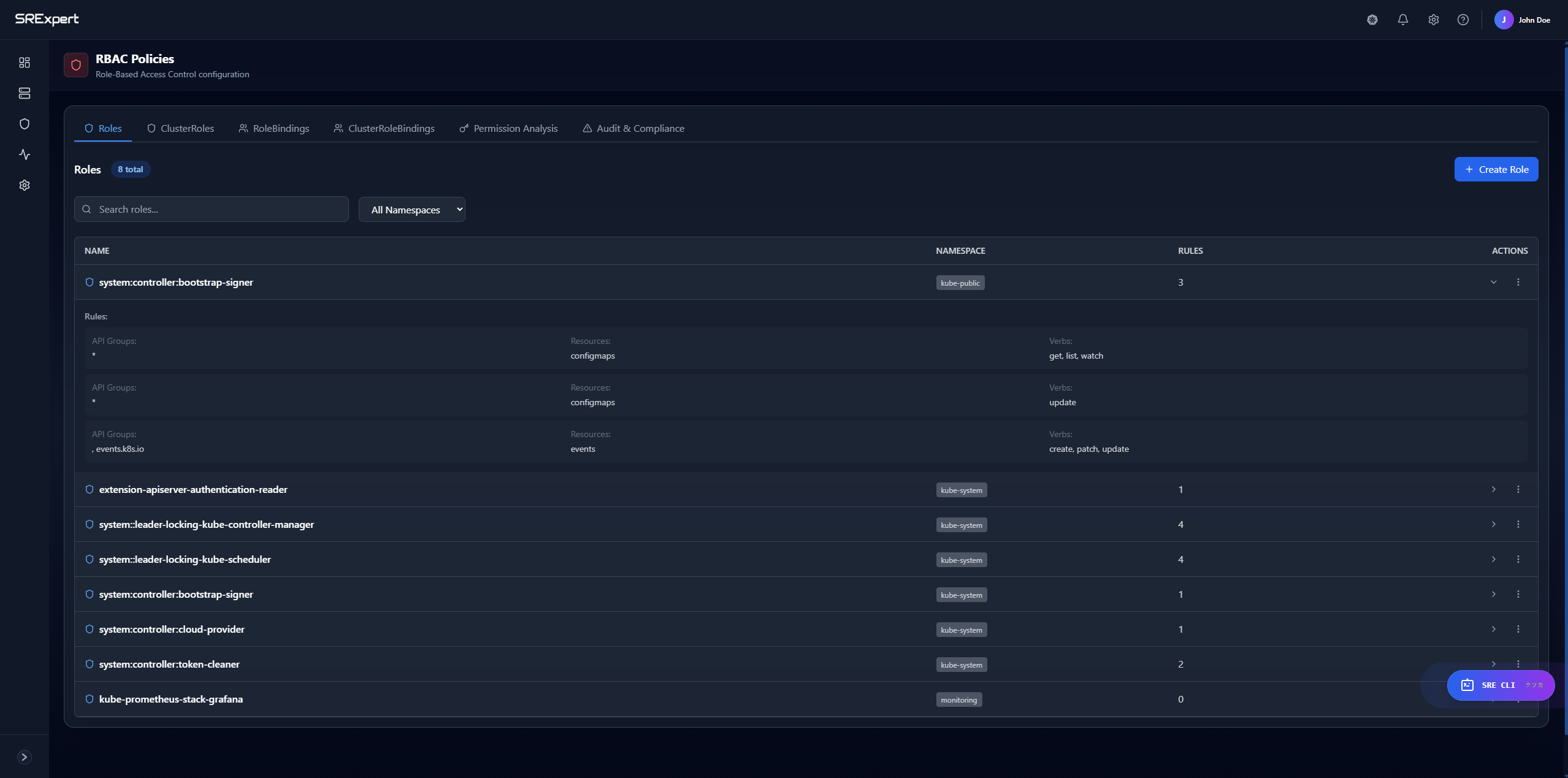
- Go to Security > RBAC
- Tabs available:
- Roles - Namespace-scoped roles
- ClusterRoles - Cluster-wide roles
- RoleBindings - Namespace bindings
- ClusterRoleBindings - Cluster bindings
- Analysis - Risk analysis
RBAC Analysis Output
{
  "security_score": 75,
  "summary": {
    "total_cluster_roles": 45,
    "total_roles": 23,
    "critical_risks": 2,
    "high_risks": 5,
    "medium_risks": 8
  },
  "risks": [
    {
      "severity": "CRITICAL",
      "type": "wildcard_permissions",
      "description": "ClusterRole 'admin' has wildcard resource access",
      "recommendation": "Restrict to specific resources"
    }
  ]
}
Secret Scanning
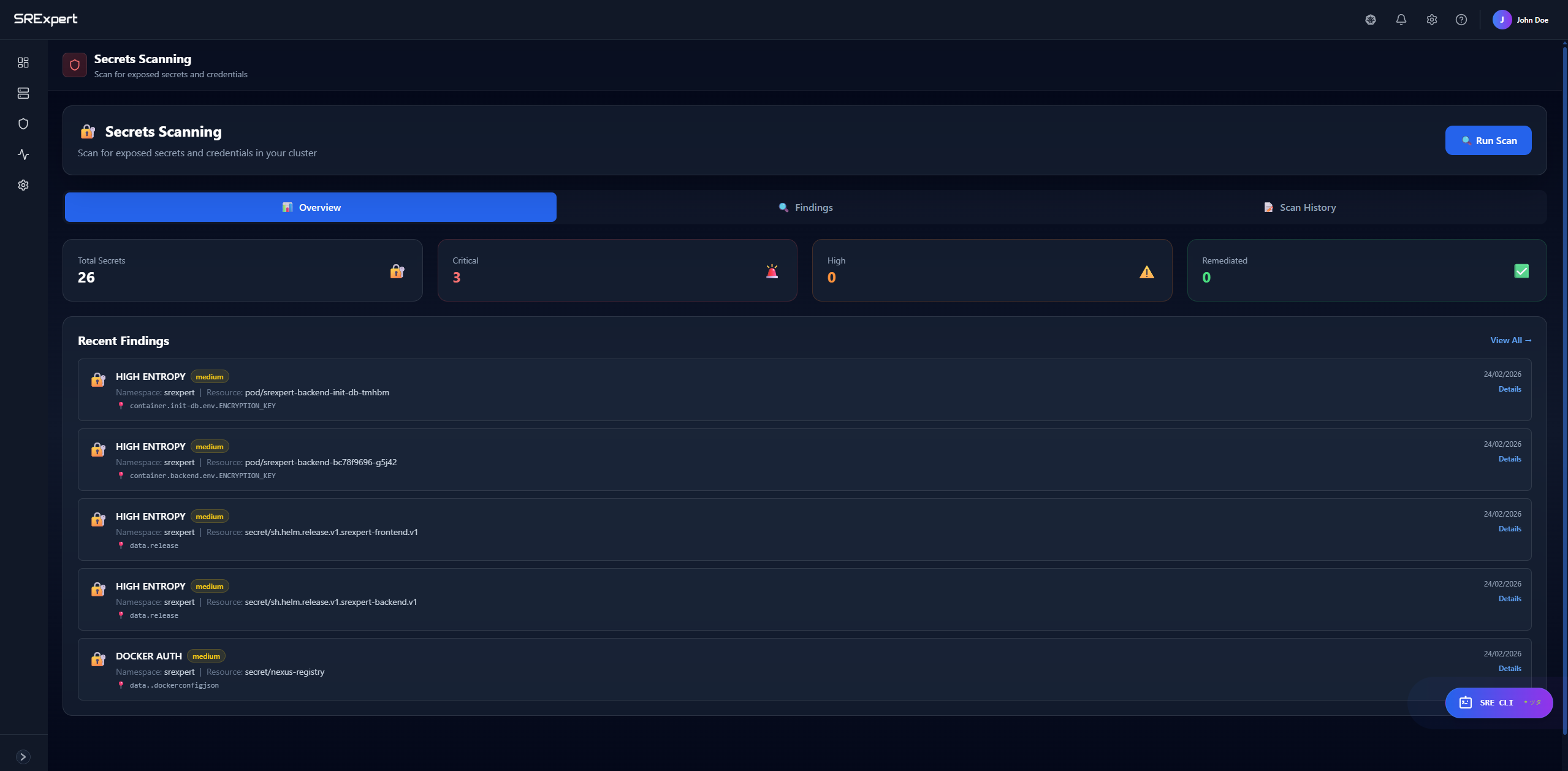
Running Secret Scans
- Go to Security > Secrets Scan
- View findings by namespace
- Click a finding for details
Secret Findings
Each finding shows:
- Secret type detected
- Location (namespace, resource, field)
- Confidence level
- Remediation steps
Misconfiguration Detection
What’s Checked
SRExpert detects common misconfigurations:
- Privileged containers
- Missing resource limits
- Missing security context
- Exposed service ports
- Insecure pod configurations
- Missing network policies
Viewing Misconfigurations
- Go to Security > Misconfigurations
- Filter by severity or type
- Click an issue for details and fix
Remediation
Each misconfiguration includes:
- Description of the risk
- Affected resources
- YAML example of the fix
- Best practice recommendation
Gatekeeper Policies
Overview
OPA Gatekeeper enforces policies in your cluster. SRExpert helps you:
- View installed policies
- Monitor violations
- Manage enforcement modes
- Apply policy templates
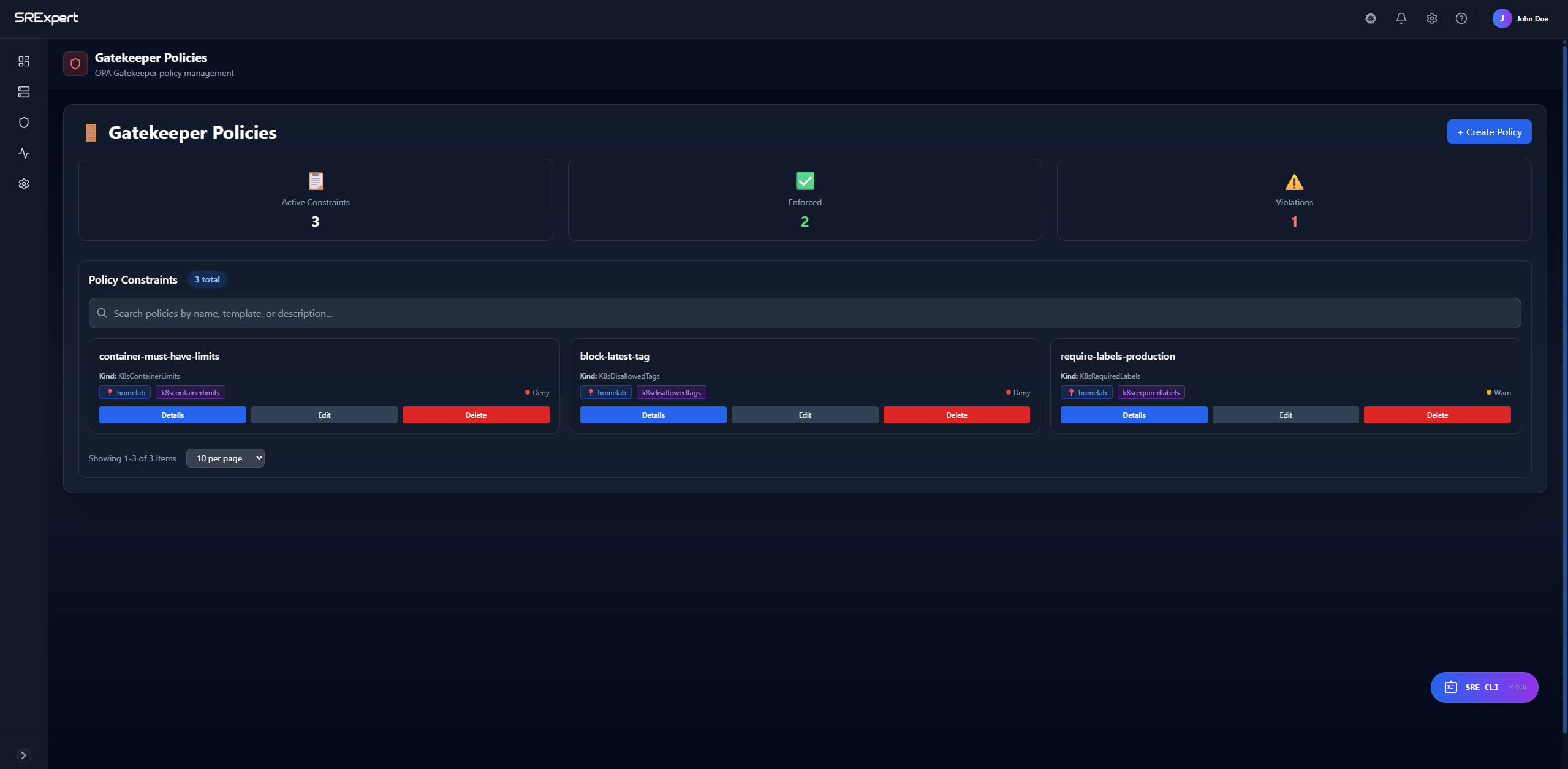
Policy Management
- Go to Security > Gatekeeper
- View active policies
- Click a policy to see:
- Template details
- Constraints
- Current violations
- Enforcement mode
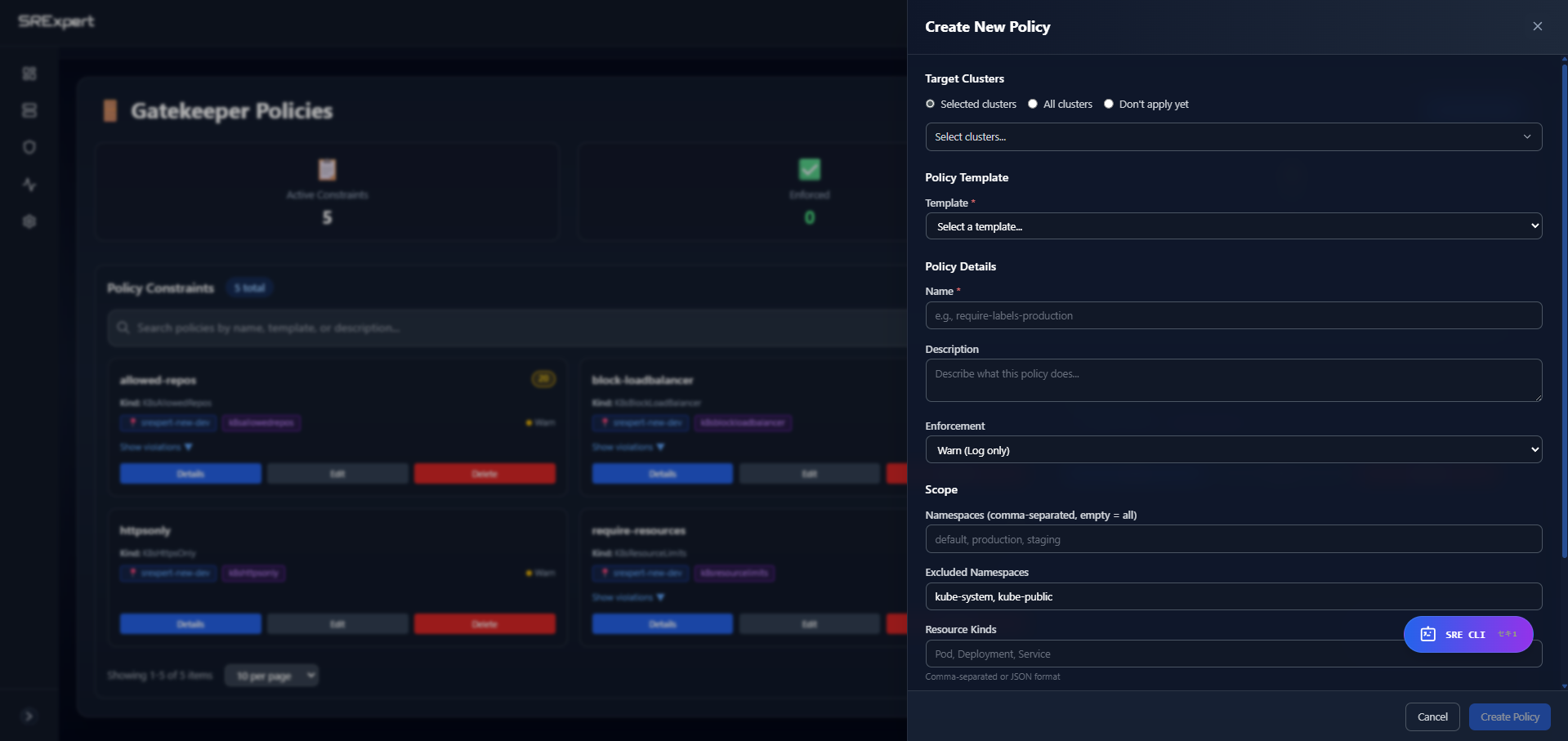
Enforcement Modes
| Mode | Behavior |
|---|---|
| enforce | Block non-compliant resources |
| warn | Allow but log warning |
| dryrun | Record only, no action |
| disabled | Policy not active |
Violations
View policy violations:
- Go to Security > Gatekeeper
- Click Violations tab
- See resources failing policies
See Gatekeeper & Policies for detailed documentation.
Network Policy Analysis
Coverage Analysis
SRExpert analyzes your network policies:
- Namespaces without policies
- Pods without ingress restrictions
- Pods without egress restrictions
- Policy gaps
Viewing Network Policies
- Go to Security > Network Policies
- See coverage by namespace
- Click a namespace for policy details
Recommendations
Get recommendations for:
- Deny-all base policies
- Specific allow rules
- Egress restrictions
See Network Policies for more details.
Service Account Security
Analysis
Review service account security:
- Accounts with mounted tokens
- Accounts with cluster-admin
- Unused service accounts
- Token age and rotation
Viewing Service Accounts
- Go to Security > Service Accounts
- Filter by namespace
- See risk indicators
- Click for details
Security Recommendations
AI-Powered Recommendations
SRExpert analyzes your cluster and provides prioritized recommendations:
- Go to Security > Recommendations
- See recommendations sorted by priority
- Each recommendation shows:
- Issue description
- Affected resources
- Remediation steps
- Expected impact
Priority Factors
Recommendations are prioritized by:
- Severity of the issue
- Number of affected resources
- Ease of remediation
- Security impact
Security Trends
Viewing Trends
Track security posture over time:
- Go to Security > Dashboard
- See the trends chart
- Toggle between 7 days and 30 days
Trends show:
- Compliance score changes
- Vulnerability counts
- Issue resolution rate
Best Practices
Regular Scanning
- Run compliance checks weekly
- Enable continuous vulnerability scanning
- Review RBAC quarterly
Prioritization
Focus on:
- Critical vulnerabilities in production
- Failing compliance checks
- RBAC over-permissions
- Exposed secrets
Remediation Workflow
- Review new findings daily
- Assign issues to team members
- Fix and verify resolution
- Track trends for improvement
Next Steps
- Gatekeeper & Policies - Enforce security policies
- Network Policies - Control network traffic
- Alerts & Notifications - Set up security alerts
- SRE CLI - Query security status with AI