Cluster Role Bindings
Cluster Role Bindings grant the permissions defined in a Cluster Role to users, groups, or service accounts across the entire cluster.
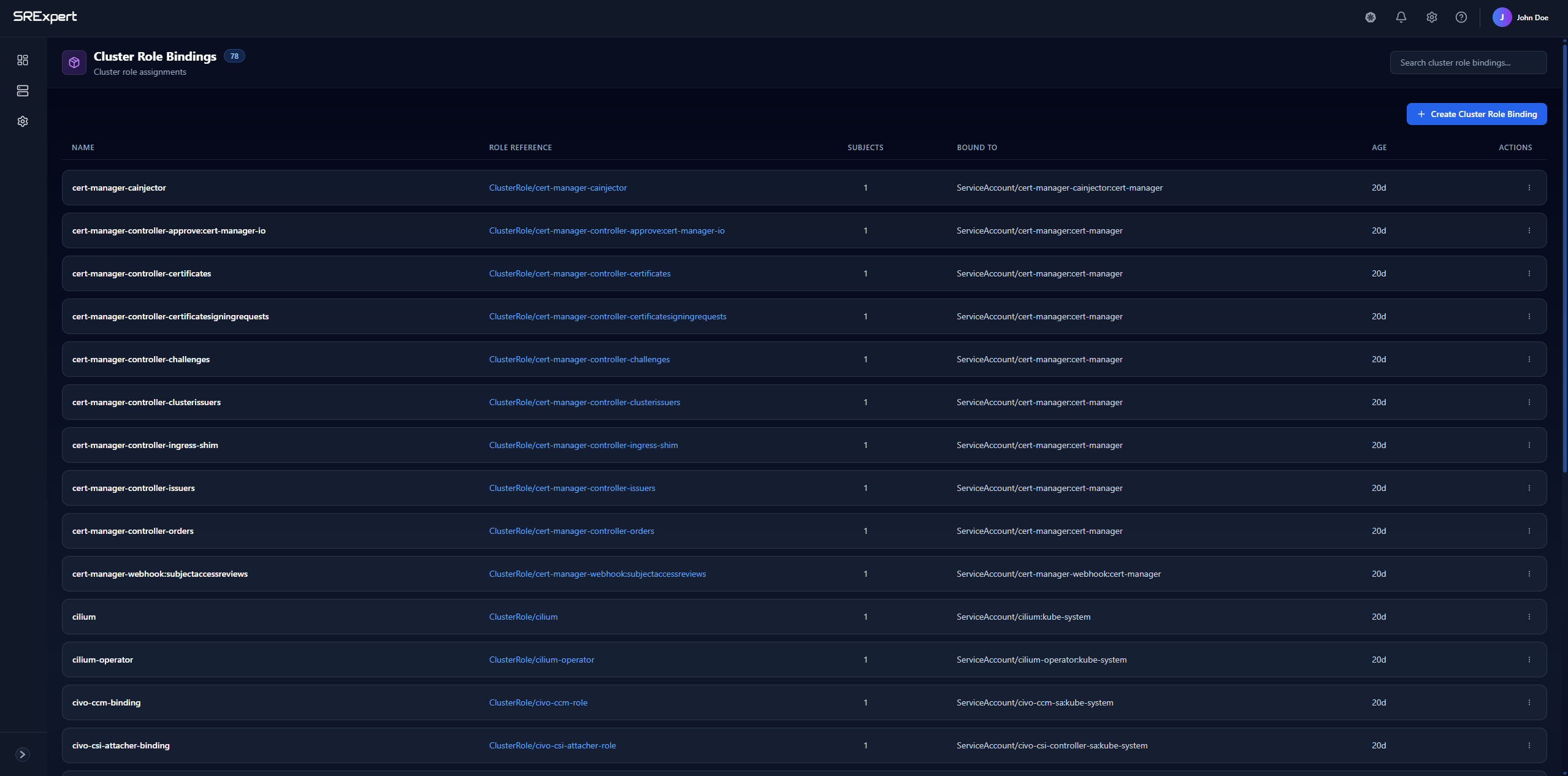
Overview
The ClusterRoleBindings tab (under Security > RBAC & Access) displays all bindings with the following columns:
| Column | Description |
|---|---|
| Name | The binding identifier |
| Role Reference | The Cluster Role being granted |
| Subjects | The users/groups/service accounts bound |
| Actions | Edit or delete the binding |
Features
Search
Use the search bar to quickly find bindings by name.
Create Cluster Role Binding
Click + Create Cluster Role Binding to assign a cluster role to subjects.
Creating a Cluster Role Binding
When creating a binding, you’ll specify:
- Name - A unique identifier for the binding
- Cluster Role - The cluster role to grant
- Subjects - Who receives the permissions:
- User - A specific user (e.g.,
[email protected]) - Group - A group of users (e.g.,
developers) - Service Account - A service account in a specific namespace
- User - A specific user (e.g.,
Example Cluster Role Binding
Grant the node-reader cluster role to a group:
apiVersion: rbac.authorization.k8s.io/v1
kind: ClusterRoleBinding
metadata:
  name: read-nodes-global
subjects:
- kind: Group
  name: "ops-team"
  apiGroup: rbac.authorization.k8s.io
roleRef:
  kind: ClusterRole
  name: node-reader
  apiGroup: rbac.authorization.k8s.io
Subjects Types
| Subject Kind | Description | Example |
|---|---|---|
| User | Individual user identity | [email protected] |
| Group | Collection of users | system:masters, developers |
| ServiceAccount | Pod identity | default:my-service-account |
Common Patterns
Grant Admin Access to a User
subjects:
- kind: User
  name: "[email protected]"
  apiGroup: rbac.authorization.k8s.io
roleRef:
  kind: ClusterRole
  name: cluster-admin
Grant View Access to All Authenticated Users
subjects:
- kind: Group
  name: "system:authenticated"
  apiGroup: rbac.authorization.k8s.io
roleRef:
  kind: ClusterRole
  name: view
Best Practices
- Use groups over users - Easier to manage as team membership changes
- Avoid binding cluster-admin - Use more restrictive roles when possible
- Document bindings - Track why each binding exists
- Regular reviews - Remove bindings when users leave or change roles