Misconfigurations
Detect and fix security misconfigurations in your Kubernetes cluster against industry compliance frameworks.
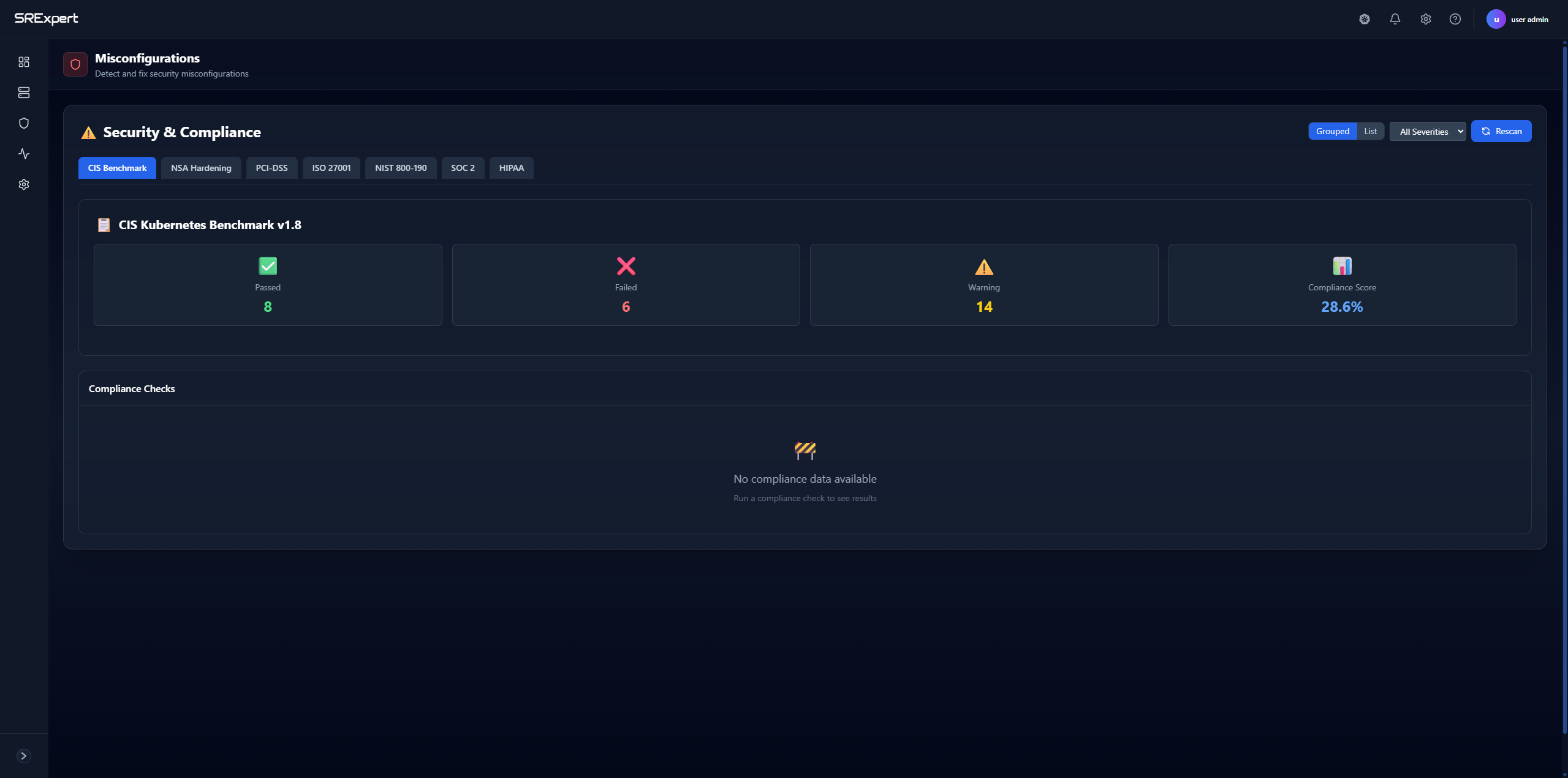
Overview
The Misconfigurations feature scans your Kubernetes cluster against multiple security compliance frameworks to identify configuration issues that could pose security risks. Scanning is automated and on-demand — use the Rescan button to run a fresh check at any time.
Scoped per cluster: Misconfiguration results are shown per cluster. Use the cluster selector at the top of the page to choose a specific cluster, or select All clusters for an aggregated view.
Supported Frameworks
| Framework | Description |
|---|---|
| CIS Benchmark | Center for Internet Security Kubernetes Benchmark |
| NSA Hardening | NSA/CISA Kubernetes Hardening Guide |
| PCI-DSS | Payment Card Industry Data Security Standard |
| ISO 27001 | Information Security Management Standard |
| NIST 800-190 | Application Container Security Guide |
| SOC 2 | Service Organization Control 2 |
| HIPAA | Health Insurance Portability and Accountability Act |
How to Use
Running a Compliance Check
- Navigate to Security > Security Scanning > Misconfigurations
- Select a compliance framework tab (e.g., CIS Benchmark)
- Click the Rescan button to run a fresh scan
- Review the compliance results
Understanding Results
Each framework tab shows a set of status counts plus an overall score:
- Passed - Checks that your cluster passed
- Failed - Checks that need attention
- Warning - Checks with potential issues
- Errored - Checks that could not be evaluated
- Compliance Score (%) - Overall percentage of passed checks for the selected framework
Viewing Check Details
- Click on a specific check in the Compliance Checks section
- View the detailed description of the issue
- See the affected resources
- Get remediation guidance
Filtering Results
Use the controls in the top right to:
- Grouped / List - Toggle between grouped and list view
- Severity filter - Filter checks by severity (All, Critical, High, Medium, Low)
- Rescan - Run a new compliance scan for the selected framework
Best Practices
- Start with CIS - The CIS Kubernetes Benchmark is a good baseline
- Address Failed First - Focus on failed checks before warnings
- Regular Scans - Schedule regular compliance checks
- Track Progress - Monitor your compliance score over time
- Use Exceptions - Create exceptions for intentional deviations
Next Steps
- Security Exceptions - Manage compliance exceptions
- Image Security - Scan for vulnerabilities