Image Security
Scan container images for known vulnerabilities (CVEs) and security issues in your Kubernetes cluster.
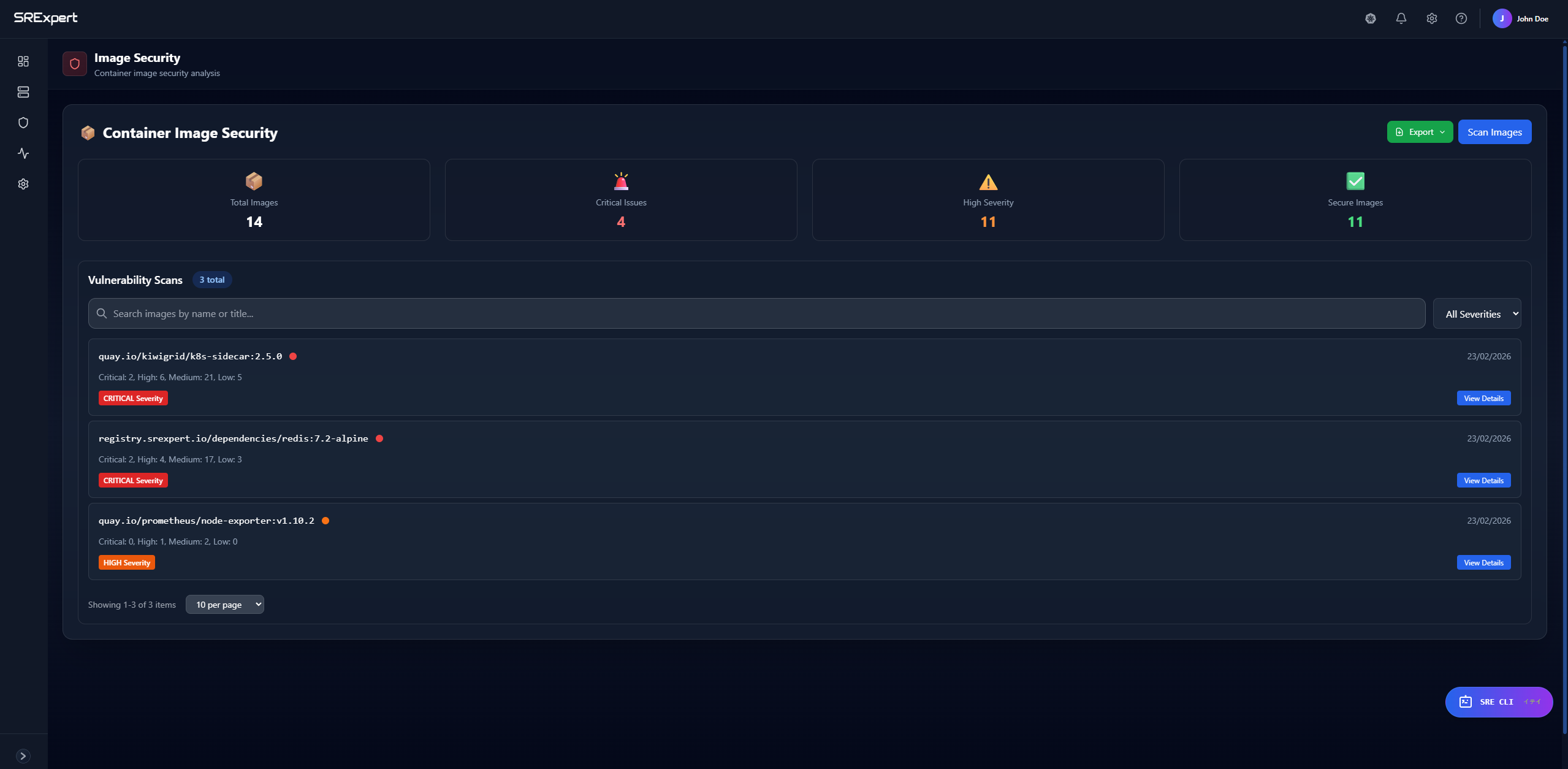
Overview
Image Security allows you to analyze container images running in your cluster for known vulnerabilities. It identifies CVEs (Common Vulnerabilities and Exposures) and provides severity ratings to help you prioritize remediation efforts.
Image scanning runs both automatically in the background and on demand, so you can rely on continuous coverage while still triggering a fresh scan whenever needed.
Scoped per cluster: Image Security results are shown per cluster. Use the cluster selector at the top of the page to choose a specific cluster, or select All clusters to view an aggregated overview.
Features
- Vulnerability Detection - Identify known CVEs in container images
- Severity Classification - Vulnerabilities are classified as Critical, High, Medium, or Low
- Image Inventory - See all container images running in your cluster
- Scan on Demand - Run scans whenever needed
How to Use
Starting a Vulnerability Scan
- Navigate to Security > Security Scanning > Image Security
- Click the Scan Images button in the top right corner
- Wait for the scan to complete
- Review the results in the dashboard
Understanding Results
After a scan completes, you’ll see:
| Metric | Description |
|---|---|
| Total Images | Number of container images scanned |
| Vulnerabilities | Total number of CVEs found |
| Critical | Vulnerabilities requiring immediate attention |
| High | Serious vulnerabilities to address soon |
| Medium/Low | Less urgent issues to plan for |
Best Practices
- Regular Scanning - Run scans regularly to catch new vulnerabilities
- Update Images - Keep base images up to date with security patches
- Use Minimal Images - Prefer slim/alpine variants to reduce attack surface
- Review Critical First - Prioritize critical and high severity findings
Next Steps
- Misconfigurations - Check for security misconfigurations
- Secrets Scanning - Find exposed credentials